Let's face it: reliable indoor cell service is no longer a luxury—it's as essential as keeping the lights on. But here's the catch: the very materials that make our buildings modern and efficient are often the biggest culprits in creating signal dead zones. In-building wireless solutions are engineered to cut through these barriers, delivering strong, consistent mobile connectivity where it's needed most inside commercial spaces.
Think of these systems as a building's dedicated communications backbone, ensuring that every corner, from the basement to the top floor, has a solid signal.
Why Indoor Connectivity Is No Longer Optional
In our always-on world, we've come to expect our devices to just work, whether we're in a hospital, a high-rise office, or a busy airport. The problem is, modern construction materials like concrete, steel, and low-emissivity (low-E) glass are fantastic for energy efficiency but are kryptonite to the radio frequency (RF) signals from outside cell towers.
This creates a frustrating paradox. The more advanced and well-built a structure is, the more likely it is to feel like a Faraday cage for your phone. The fallout from these dead zones goes far beyond a bit of annoyance.
The Business Case for In-Building Wireless
For any commercial property, spotty indoor coverage can directly hit the bottom line, affecting operations, tenant happiness, and even safety. There's a clear trend toward future-proofing indoor networks; a recent survey found that 97% of IT managers who have deployed these systems are already well-versed in 5G. The push for better indoor wireless comes down to a few critical needs:
- Operational Continuity: Dropped calls and crawling data speeds can hamstring daily business, whether it's a point-of-sale system in a retail store or logistics management on a factory floor.
- Tenant and Visitor Experience: For hotels, commercial real estate, and large venues, seamless connectivity is table stakes. Bad service can quickly lead to bad reviews and tenants looking elsewhere.
- Public Safety: While first responders have their own dedicated networks, reliable public cellular access is crucial during an emergency for communication and getting help.
- Emerging Technologies: The explosion of Internet of Things (IoT) devices—from smart building controls to inventory trackers—simply can't function without a rock-solid wireless foundation. You can learn more about the growing need for network densification in our detailed article.
Simply put, a building without reliable cellular service is a building that is not fully functional. It creates a barrier to productivity and can even compromise safety protocols that depend on mobile communication.
This guide is designed to walk you through the core technologies that tackle these connectivity puzzles: Distributed Antenna Systems (DAS), small cells, and repeaters. We'll break down how to choose, design, and deploy the right in-building wireless solutions for your unique space, making sure your facility is ready for a mobile-first world.
Choosing the Right In-Building Wireless Solution
Picking the right technology to fix your indoor cellular dead zones is easily the most critical decision you'll make. Get it right, and everyone’s happy. Get it wrong, and you're looking at a wasted investment with the same old connectivity headaches.
The three main players are Distributed Antenna Systems (DAS), small cells, and repeaters. Each has its place, and knowing the difference is the key to a successful project.
Think of it like lighting a building. You wouldn't use a single, massive stadium floodlight to light up an office with dozens of rooms—you'd install a distributed system of fixtures for even light. By the same token, you wouldn't install a complex lighting grid just to brighten a small closet. The same practical logic applies to in‑building wireless solutions.
Distributed Antenna Systems (DAS) for Broad Coverage
A Distributed Antenna System, or DAS, is the heavy-hitter for large, complex venues. The best way to picture it is as the building's central air conditioning (HVAC) system. A powerful central unit (the signal source) creates the cool air, which is then pushed through a network of ducts (fiber optic cables) to vents (antennas) in every room. The result is consistent, reliable climate control everywhere.
A DAS works exactly like that. It takes a strong, clean signal—either piped in directly from a carrier or generated by an on-site base station—and distributes it evenly through strategically placed antennas. This makes it the go-to choice for environments where widespread, uniform coverage is absolutely non-negotiable.
You’ll typically see DAS deployed in places like:
- Hospitals: Where doctors and staff need flawless communication in patient rooms, labs, and administrative wings.
- Stadiums and Arenas: That have to support tens of thousands of cheering fans all at once.
- Large Corporate Campuses: With multiple buildings, floors, and challenging office layouts.
- Airports and Convention Centers: Sprawling spaces with high foot traffic and signal-blocking materials like concrete and steel.
A DAS is fundamentally a coverage solution built for scale. Its job is to push a reliable signal into every nook and cranny of a large building, from the underground parking garage to the top-floor executive suite.
One of the biggest advantages of a DAS is its ability to support multiple carriers on a single, shared infrastructure. This “neutral host” capability makes it an incredibly smart investment for building owners who want to provide top-tier service for everyone, regardless of their mobile provider.
This decision tree can help you frame the initial choice: are you fixing an urgent, existing problem, or are you future-proofing the building for what's next?
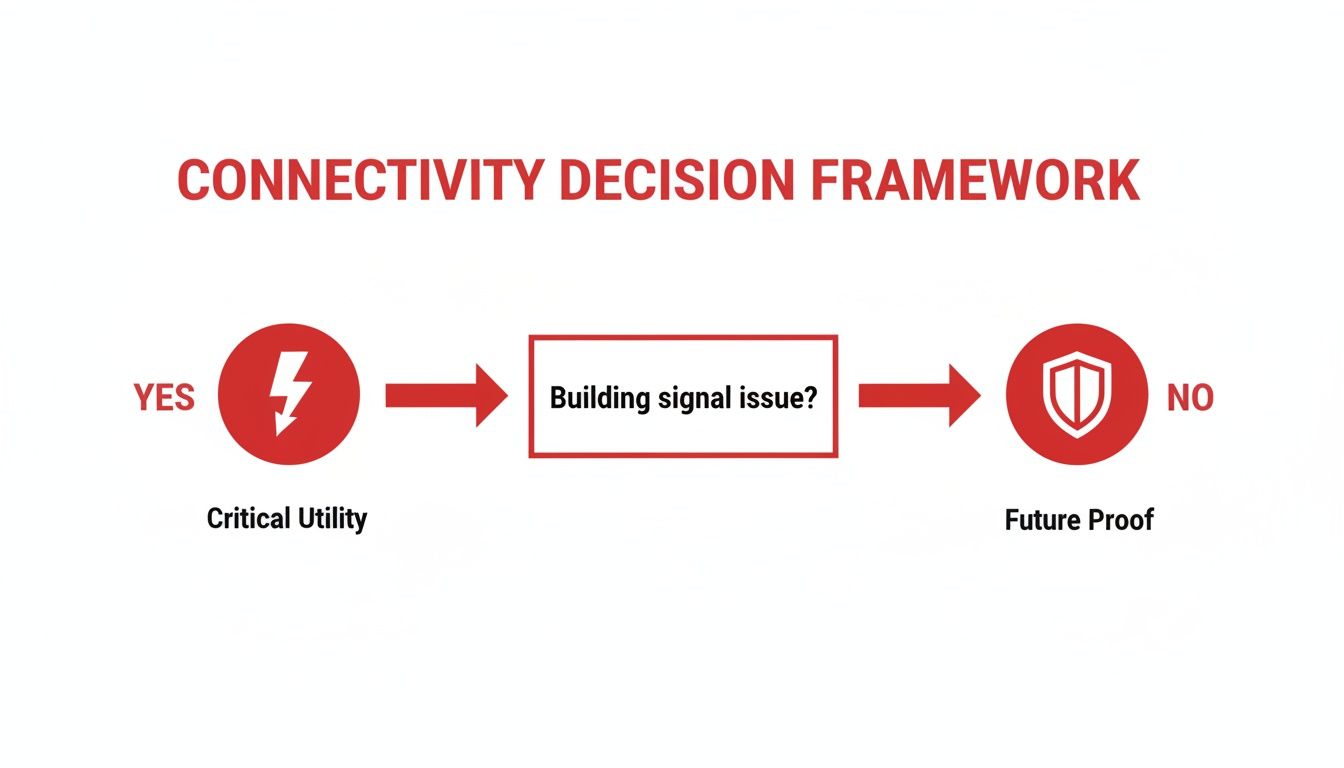
Either way, a smart approach is what separates a successful deployment from a failed one.
Small Cells for Targeted Capacity
If DAS is the building's HVAC, then small cells are like powerful, focused spotlights. They aren't designed for broad, building-wide coverage. Instead, they deliver a massive amount of capacity to specific, high-density zones. Think of a busy hotel lobby, a packed conference room, or the food court in a mall at lunchtime.
These are essentially compact, low-power base stations. They create small pockets of incredibly strong and fast cellular service by connecting directly to the carrier's core network. By acting like miniature cell towers, they offload traffic from the main network, dramatically improving performance for everyone nearby. This targeted approach is a cornerstone of modern network design.
Small cells are a huge part of the wireless infrastructure story, expected to command 35.1% of the market by 2025. Their ability to handle data-heavy traffic in crowded urban areas and large venues is unmatched. For carriers and tower companies, this means denser deployments on everything from streetlights to rooftops. With the global market projected to hit USD 553.67 billion by 2032 at a 13.8% CAGR—driven by 5G and our endless appetite for mobile data—it's clear they are here to stay. You can discover more insights about the wireless infrastructure market and its rapid growth.
Repeaters for Simple Signal Boosting
Finally, we have repeaters, often called Bi-Directional Amplifiers (BDAs). Let's go back to our analogy: if DAS is HVAC and small cells are spotlights, a repeater is a simple desk lamp. It’s not meant to light up a whole building or a stage; it just brightens a small, specific area, like your desk.
Repeaters do one thing: they grab a weak outside signal with an external antenna, amplify it, and then rebroadcast it indoors with an internal antenna. It's a straightforward fix for a simple problem.
They are best suited for:
- Small Offices: Generally under 25,000 square feet with straightforward layouts.
- Retail Stores: Where you just need coverage in a single, open space.
- Basements or Parking Garages: To patch a specific dead zone in an otherwise well-covered building.
But they do have their limits. A repeater can only amplify the signal it receives; if the outside signal is terrible to begin with, there's not much to work with. They can also introduce signal noise and interference if they aren't installed perfectly, which is why they aren't the right tool for mission-critical applications.
To help you see how these technologies stack up against one another, here’s a quick comparison table breaking down the key factors.
Comparison of In-Building Wireless Technologies
| Technology | Ideal Venue Size | User Capacity | Carrier Support | Typical Cost | Best For |
|---|---|---|---|---|---|
| DAS | Large (100k+ sq ft) | Very High | Multi-Carrier (Neutral Host) | $$$ | Widespread, uniform coverage in complex venues (stadiums, hospitals) |
| Small Cells | Small to Medium | High (in targeted zones) | Single-Carrier (Typically) | $$ | Adding massive capacity to specific high-density areas (lobbies, conference rooms) |
| Repeaters | Small (<25k sq ft) | Low | Single-Carrier | $ | Simple, low-cost signal boosting in small spaces with a decent outside signal |
Ultimately, choosing between DAS, small cells, and repeaters comes down to a clear-eyed assessment of your building's size, your capacity needs, and your budget. Each one is the "best" solution for a different kind of problem.
The Blueprint for Flawless RF Design and Planning
Before a single piece of hardware is installed, the success of any wireless system hinges on meticulous planning. This critical phase, known as radio frequency (RF) design, is best thought of as creating a detailed blueprint for your building's wireless coverage. But instead of mapping walls and wiring, RF engineers are mapping the invisible world of radio signals, ensuring every corner of your facility has the strong, reliable connection it needs.
This isn't guesswork. It's a scientific process that blends sophisticated software with practical, on-the-ground analysis. The ultimate goal is to engineer an in-building wireless solution that eliminates dead zones, dropped calls, and frustratingly slow data from day one.
The First Step: A Thorough Site Survey
Every solid RF design starts with a comprehensive site survey. This is the crucial intelligence-gathering mission where engineers get a firsthand feel for the physical environment. To see what this looks like in practice, it’s worth checking out a complete guide to a site survey for wireless network success.
Typically, this involves two key activities:
- The Physical Walk-Through: Engineers will meticulously inspect the building, looking at floor plans, noting construction materials, and identifying potential obstacles. Thick concrete walls, low-E glass windows, and even large metal filing cabinets can absorb or reflect signals in surprising ways.
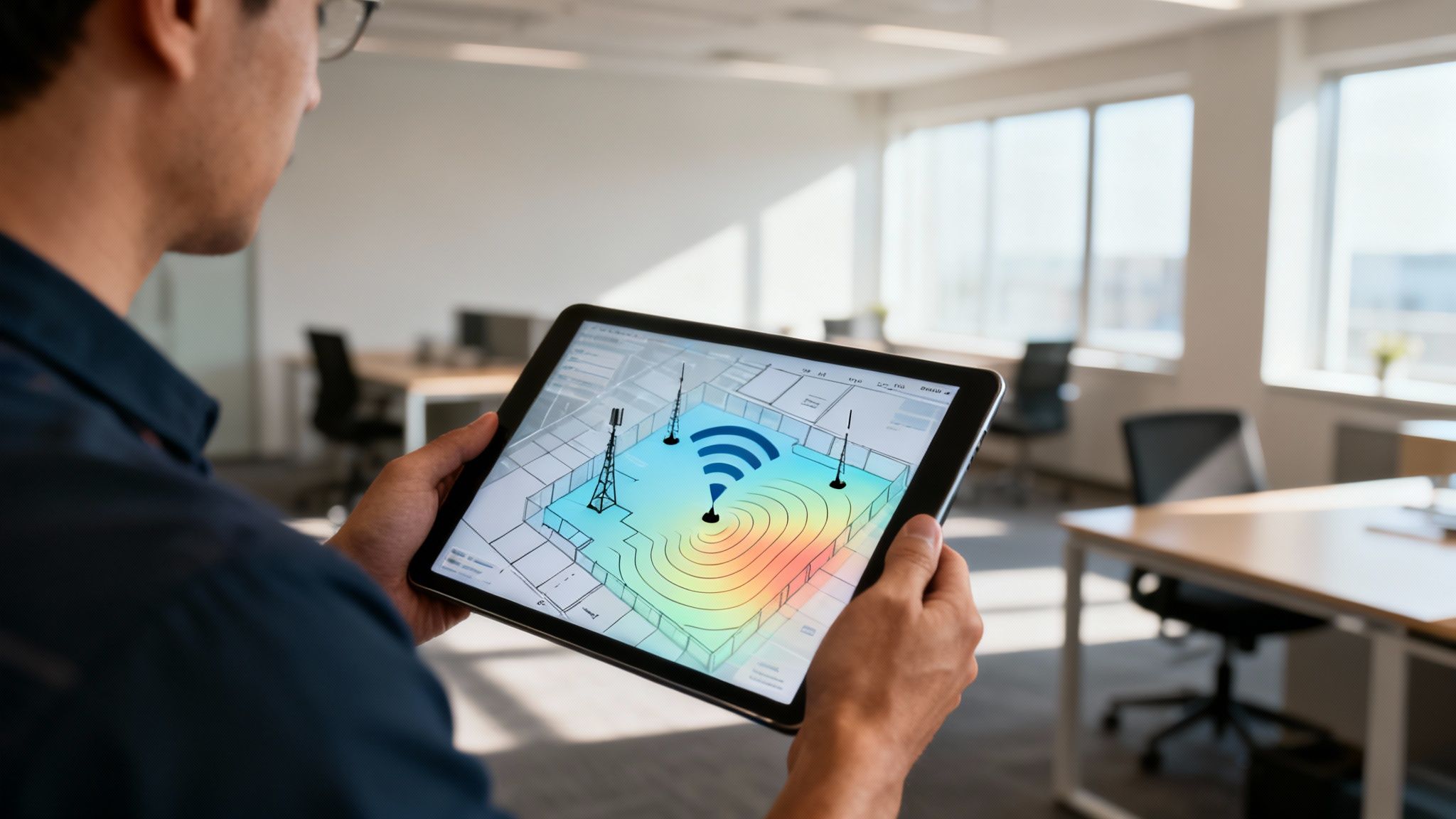
- RF Signal Measurement: Using specialized gear, the team measures existing cellular and Wi-Fi signals throughout the property. This generates a baseline "heatmap," a visual map that clearly shows where coverage is strong, weak, or completely absent, validating user complaints and uncovering problem areas you didn't even know you had.
A detailed site survey takes all the assumptions out of the equation. It provides the hard data needed to build a solution that’s truly customized to your building’s unique RF personality, not some generic, one-size-fits-all plan.
From Data to Design: Predictive Modeling
With the survey data in hand, the real design work begins. Engineers feed this information—from wall materials to existing signal readings—into advanced modeling software. By importing the building's floor plans, they create a highly accurate digital twin of your facility's RF environment.
This virtual model is where the magic happens. Engineers can "place" virtual antennas and run complex simulations to see exactly how the signals will behave. It lets them test dozens of equipment layouts and settings to find the absolute best design without ever drilling a hole. This process includes:
- Pinpointing Antenna Locations: The model reveals the most strategic spots for antennas to maximize coverage while minimizing the total number of units needed, which helps keep project costs in check.
- Forecasting Signal Strength: Simulations predict the exact signal strength (measured in dBm) users will experience everywhere, ensuring it meets the stringent standards set by wireless carriers.
- Heading Off Interference: The software also flags potential interference issues, whether between the new antennas or from outside sources, allowing the design to be tweaked for a clean, stable signal.
This predictive analysis is what sets a professional in-building wireless solution apart. Once the final blueprint is approved, the focus shifts to ensuring the physical deployment is just as perfect as the virtual model. The next step is to properly calibrate the system to meet precise specifications, guaranteeing the finished system performs exactly as promised and delivers a real return on investment.
Building the Backbone with Power, Fiber, and Backhaul
An advanced in-building wireless solution is a lot like a high-performance race car—powerful and precise. But just like that car is useless without fuel and a solid connection to the road, your wireless system is only as strong as its supporting infrastructure. This backbone rests on three essential pillars: power, fiber, and backhaul.
Think of it this way: backhaul is the superhighway connecting your building to the global mobile network. Fiber optic cabling acts as the local streets, efficiently carrying data to every antenna. And power is the electrical grid that keeps the whole system humming 24/7. Get these right, and you’re building a system that's robust, reliable, and ready for whatever comes next.
Securing Reliable Power and Redundancy
Consistent, clean power is the absolute bedrock of any in-building wireless system. Without it, even the most sophisticated design is dead in the water. That's why a reliable power backbone is critical, and understanding the role of power distribution centers is key to a solid design.
Redundancy is the name of the game here. Mission-critical facilities like hospitals and data centers simply can't afford a single moment of downtime.
To achieve that level of resilience, system architects typically implement:
- Uninterruptible Power Supplies (UPS): These are the first line of defense. Battery backups provide immediate power during an outage, giving the system a seamless transition to a secondary source.
- Backup Generators: When the power is out for the long haul, generators kick in to ensure the wireless system—and its vital public safety functions—remains online indefinitely.
- Dedicated Circuits: Isolating the wireless equipment on its own electrical circuits is a smart move. It prevents interference from other building systems and makes troubleshooting far simpler.
Laying the Foundation with Structured Fiber Cabling
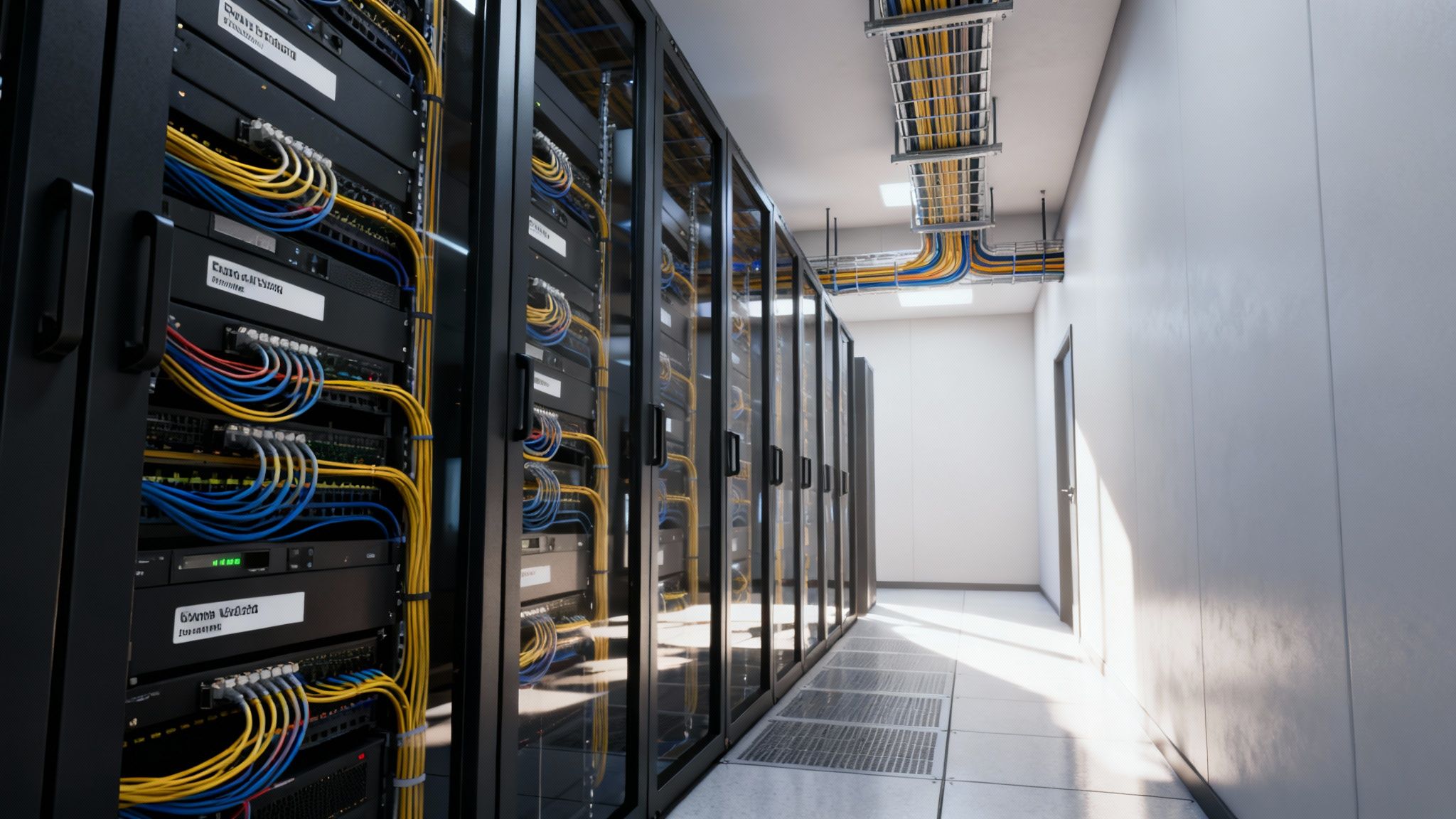
If power is the lifeblood, then fiber is the nervous system. The fiber optic network is what distributes the signal from your head-end equipment room out to each remote antenna unit scattered throughout the building.
A well-designed fiber network isn't just about connecting point A to point B. It's about creating a scalable, future-proof asset. This is where structured cabling comes into play—instead of a chaotic "home run" for every component, a structured system creates a clean, organized, and easily managed network. This approach simplifies everything from maintenance to future upgrades, which is a huge factor for long-term ROI. You can explore our guide on long-range infrastructure planning for a deeper dive.
A thoughtfully planned fiber backbone is arguably the most valuable part of an in-building wireless installation. While the active electronics will evolve with technology, the core fiber infrastructure can serve the building for decades, supporting future upgrades to 5G, 6G, and beyond with minimal additional cost.
Establishing the Critical Backhaul Connection
Finally, we have backhaul. This is the critical link connecting your entire in-building system to the outside world. It's the high-capacity pipe that carries all voice and data traffic to and from the carrier's core network. Your internal RF design could be perfect, but if the backhaul is slow or unreliable, the user experience will be terrible.
The gold standard for backhaul is a direct fiber optic connection. It offers immense bandwidth and low latency, which is non-negotiable as the demand for high-speed connectivity explodes, driven by IoT devices and smart building initiatives.
The global wireless infrastructure market reflects this urgency, with projections showing it will soar from USD 208.57 billion in 2025 to USD 500.69 billion by 2035, largely fueled by 5G adoption. North America is leading the charge, highlighting the real need for end-to-end engineering partners.
Together, power, fiber, and backhaul form an invisible yet indispensable foundation. By engineering this backbone with the same meticulous care as the visible antennas, you ensure your in-building wireless solutions deliver on their promise of flawless connectivity.
From Blueprint to Reality: Deployment, Testing, and Long-Term Care
With a solid RF design and infrastructure plan locked in, it’s time to move from paper to production. This is where the rubber meets the road—the phase where installation, rigorous testing, and smart, long-term maintenance take center stage. A successful deployment is so much more than just hanging hardware; it's a finely orchestrated effort built on safety, precision, and a commitment to performance that lasts for years.
The journey from a digital model to a fully commissioned system involves navigating a maze of permits, construction schedules, and detailed validation. Every single step is critical. This is how we transform the predicted performance from our software into real-world, dependable connectivity for everyone in the building, protecting your investment and making sure the in-building wireless solution truly delivers.
Executing a Safe and Efficient Installation
The installation phase is where the design quite literally comes to life. It's a hands-on process with skilled crews running fiber, carefully placing antennas, and installing the head-end equipment. But above all else, the top priority here is safety and making sure we cause as little disruption to your daily operations as possible.
A good installation partner works hand-in-glove with building management, scheduling work during off-peak hours and following strict safety protocols. This becomes absolutely essential in live environments like hospitals or busy corporate offices where you can't just shut things down. The process also means securing all the right permits and passing inspections, guaranteeing every piece of the puzzle is installed perfectly to code.
The Make-or-Break Role of System Testing and Validation
Once the hardware is physically in place, the job isn't done. Not even close. Now, the system has to prove itself. The testing and validation phase is a non-negotiable checkpoint that confirms the system works precisely as it was designed to. Think of it as the final, exhaustive quality check before we hand over the keys.
This involves a few crucial procedures:
- Walk Tests: Engineers will systematically walk every square foot of the building, from the basement to the penthouse, using specialized gear to measure signal strength and quality. This creates a real-world coverage heat map, which we compare directly against our predictive model to hunt down any dead zones or weak spots.
- Performance Benchmarking: Technicians run a battery of tests for data throughput (upload and download speeds), call success rates, and latency. These benchmarks are measured against the strict key performance indicators (KPIs) set by both your organization and the wireless carriers.
- Carrier Integration and Commissioning: This is the final step where the system is officially tied into each mobile carrier's network. This process, known as commissioning, is what brings the system online and makes it live for all users.
A well-planned Distributed Antenna System (DAS) ensures reliable coverage and scalability from day one. The validation process is the ultimate proof that the upfront planning was worth it, confirming the system is ready to support business growth and deliver an exceptional user experience.
This painstaking testing is what separates a true, carrier-grade in-building wireless solution from just a collection of expensive parts.
Protecting Your Investment with Proactive Maintenance
Putting in a sophisticated wireless system is a major investment. And just like any other critical business asset, it needs ongoing care to protect its value and keep it running at peak performance. Operations and maintenance (O&M) isn't an afterthought; it’s a fundamental part of a successful long-term strategy.
A solid maintenance plan is built around a Service Level Agreement (SLA), which clearly defines the expectations for system uptime and how quickly support will respond. This forward-thinking approach usually includes a few key components.
Key Components of an O&M Plan:
- 24/7 Remote Monitoring: Most modern systems come with network monitoring software that acts as a silent guardian, constantly tracking system health. It can automatically spot issues like a disconnected antenna or a failing amplifier and send an alert to technicians—often before anyone in the building even notices a problem.
- Scheduled On-Site Inspections: Nothing beats having an expert put eyes on the hardware. Regular visits from technicians to physically inspect equipment, check cable integrity, and run system diagnostics can prevent small issues from snowballing into major outages.
- Responsive Support: When something does go wrong, a clear support plan ensures that troubleshooting and repairs happen fast. This minimizes any potential downtime and keeps your facility, and your people, connected.
Ultimately, a proactive O&M strategy is what guarantees the system will continue to meet the evolving demands of your business, providing reliable, high-performance connectivity for the long haul.
Frequently Asked Questions About In-Building Wireless
If you're exploring in-building wireless solutions, you've probably got a lot of questions. That’s a good thing. Understanding the ins and outs of these systems is the first step toward making a smart investment in your building's connectivity.
We'll walk through some of the most common questions we hear from property owners and IT managers, covering everything from spotting the need for a system to what long-term maintenance actually looks like. The goal here is to cut through the jargon and give you the practical knowledge you need to move forward with confidence.
How Do I Know If My Building Needs a System?
The most obvious sign? People are complaining. If you're hearing a constant drumbeat about dropped calls, sluggish data, or dead zones where service bars vanish, it’s not their phones—it’s your building.
Modern construction is fantastic for insulation and safety, but it’s a nightmare for cell signals. Materials like reinforced concrete, steel frames, and especially energy-efficient Low-E glass are massive roadblocks for radio frequency (RF) waves. If your business depends on mobile communication, or you run a venue where a great guest experience is non-negotiable, you almost certainly need an in-building solution.
The only way to know for sure is with a professional RF survey. Think of it as an MRI for your building's wireless health. An expert walks the entire facility, measuring signal strength and creating a detailed heatmap that shows exactly where your coverage gaps are. This data takes all the guesswork out of the equation and gives you the blueprint for designing the right in-building wireless solution.
What’s the Difference Between Carrier and Enterprise Funded Systems?
This really boils down to one simple question: who's writing the check? The answer determines who owns the system, who controls it, and who benefits from it. Getting this right is crucial for hitting your budget and business goals.
There are three main ways this plays out:
- Carrier-Funded: In this model, a single wireless carrier (think AT&T or Verizon) pays for the entire system. They typically do this in massive, high-traffic venues like stadiums or airports to make their network look good. The upside is it costs the venue nothing, but the big downside is it usually only works for that one carrier's customers.
- Enterprise-Funded: Here, the building owner or enterprise pays the bill. This approach puts you in the driver's seat. You own the infrastructure and can treat connectivity like any other essential utility, such as power or water. The biggest win? You can build a "neutral host" system that supports all carriers, keeping every tenant, employee, and visitor happy, no matter their mobile provider.
- Hybrid / Neutral Host: A popular middle ground. In this setup, a specialized third-party company often owns and operates the infrastructure, then leases access to multiple carriers. The costs can be split between the host company, the carriers, and the venue, making it a more accessible way to get that all-important multi-carrier coverage.
Choosing the right funding model is a strategic decision. An enterprise-funded neutral host system provides the most control and serves the widest audience, future-proofing the building's connectivity as a valuable asset.
What Does System Maintenance Typically Involve?
Good maintenance isn't about scrambling to fix things when they break; it's about making sure they never break in the first place. A solid maintenance plan protects your investment and ensures your system delivers the reliable, high-quality service you paid for, year after year.
This is usually managed through a Service Level Agreement (SLA) that clearly defines what's covered. It’s a proactive strategy built on a few key pillars.
Key Maintenance Activities:
- 24/7 Remote Monitoring: Your system is smart. It’s constantly checking its own vitals. Sophisticated software monitors the health of every component, from the head-end down to the individual antennas. If something starts to fail, it sends an automatic alert to technicians, who can often fix the issue before anyone even notices a problem.
- Scheduled On-Site Inspections: You still need boots on the ground. Regular visits from a qualified technician to visually inspect hardware, check cabling, and run diagnostics are essential for catching wear and tear before it leads to an outage.
- Responsive Technical Support: When things do go wrong, you need help—fast. A good SLA guarantees response times for troubleshooting and on-site repairs, ensuring any downtime is kept to an absolute minimum.
- Software and System Updates: Technology never stands still. Maintenance includes managing software patches, firmware upgrades, and system tweaks needed to accommodate new carrier standards or technologies. This keeps your system secure and performing at its best.
How Long Does a System Deployment Take?
There’s no single answer here—it all depends on the size and complexity of the job. A simple repeater for a small office might be up and running in a couple of days. But a large, multi-carrier DAS for a hospital, high-rise, or corporate campus is a major construction project. You should realistically plan for 6 to 18 months from the first conversation to the final go-live.
That timeline is broken down into several distinct phases, and each one takes time:
- Initial Design & Carrier Coordination (2-4 months): This is the planning stage. It involves the RF survey, system design, and the critical back-and-forth needed to get the wireless carriers to approve the design and agree to connect to it.
- Equipment Procurement (2-3 months): Specialized RF equipment isn’t sitting on a shelf at a big-box store. Lead times for head-end electronics, antennas, and specialized fiber can be significant.
- Construction & Permitting (3-9 months): This is usually the longest part of the project. It includes the physical work of running cable, mounting thousands of components, and navigating the often slow-moving process of local building permits and inspections.
- System Testing & Commissioning (1-2 months): Once everything is installed, the system has to be rigorously tested. Technicians perform walk-tests, benchmark performance against the design goals, and work with each carrier to officially integrate the system with their live network.
With so many moving parts, partnering with an experienced integrator who can manage this entire process is the key to finishing on time and on budget.
At Southern Tier Resources, we are experts in designing, deploying, and maintaining the critical network infrastructure that keeps your business connected. Our turnkey wireless services ensure your facility has the reliable, high-performance coverage it needs to thrive.
Learn how our end-to-end engineering solutions can solve your connectivity challenges