A data center migration is one of the riskiest and most complex projects your business will ever tackle. If not managed with surgical precision, these initiatives are notorious for causing budget blowouts, crippling downtime, data loss, and serious performance issues that can linger long after the move is "done."
The High-Stakes World of Data Center Migration

This isn't just moving some servers around. It's more like performing open-heart surgery on the technical core of your business—while it's still running. The pressure is immense, and for any large-scale operation, even a tiny misstep can create a domino effect of failures across the entire company.
To really get a feel for the stakes, picture moving a hospital’s entire critical care unit to a brand-new building. You can't just unplug life-support machines and wheel them down the hall. Every piece of equipment, every patient file, and every vital system must be transferred with flawless precision to guarantee zero disruption to patient care.
The Four Pillars of Migration Risk
In a data center migration, that same level of continuity is the name of the game. The inherent data center migration risks really boil down to four key categories. Each one brings its own unique set of challenges that can derail a project and hurt the business.
- Financial Risks: These are the budget overruns that seem to come out of nowhere. Hidden costs like data egress fees, underestimated labor hours, and unplanned software license true-ups can quickly make your budget balloon.
- Technical Risks: This is where the classic "it worked in the old data center" problems live. Infrastructure incompatibilities, missed application dependencies, and data corruption are all common technical traps. A server might run perfectly in one environment but fail in the new one due to a subtle difference in power or cooling.
- Operational Risks: The human element is a massive factor here. Things like insufficient training on the new systems, poor coordination with your vendors, or a half-baked rollback plan can turn a small technical glitch into a full-blown operational meltdown.
- Security Risks: Moving massive amounts of sensitive data and reconfiguring firewalls opens up windows of opportunity for attackers. It's common to see a spike in cyberattacks during IT moves, as bad actors look to exploit teams who are distracted by the sheer complexity of the project.
A successful migration is 80% planning and 20% execution. The single best thing you can do to mitigate risk is to invest that time upfront—mapping every dependency, auditing every asset, and building a minute-by-minute runbook.
Navigating this minefield requires a solid strategy. Following a comprehensive guide on data center migration best practices gives you a proven framework for both planning and execution.
To give you a clearer picture, here’s a quick summary of these core risks and how they can impact your business.
Core Data Center Migration Risks at a Glance
| Risk Category | Description | Potential Business Impact |
|---|---|---|
| Financial | Exceeding the project budget due to unforeseen costs or poor estimation. | Reduced ROI, project cancellation, strain on company resources. |
| Technical | Failures related to infrastructure, applications, or data integrity post-move. | Extended downtime, poor application performance, data loss. |
| Operational | Breakdowns in processes, communication, or human execution during the move. | Service interruptions, decreased productivity, damage to brand reputation. |
| Security | Increased vulnerability to data breaches or cyberattacks during and after migration. | Data theft, compliance penalties, loss of customer trust. |
Understanding these categories is the first step. Next, we'll dive into practical, real-world strategies to tackle each of these risks head-on.
Defusing the Financial Landmines of Your Migration

Everyone worries about technical glitches and downtime, but what truly sinks a data center migration isn't a server failing to boot. It's the budget. The most common threat is the one that’s easiest to overlook: a slow, creeping cost overrun that drains resources until the project is underwater.
Your initial budget is just the tip of the iceberg. The real danger lies in the cascade of hidden costs that can turn a sound business decision into a financial black hole. To succeed, you have to look beyond the obvious price tags on new hardware and colocation contracts.
The True Cost of Overlooking Details
Let's take a common "lift and shift" migration to the cloud. On paper, the server costs look great. But then the first few invoices roll in, and you're hit with massive data egress fees just for your own teams to access your company's data. It’s a classic "gotcha" moment, and it happens all the time.
The numbers don't lie. Industry research reveals that a staggering 38% of migration projects blow past their budgets, with the average overrun hitting 23%. For those seemingly straightforward 'lift and shift' projects, 55% exceed their budgets within the first year. The primary culprit? Hidden fees, with data egress charges catching teams by surprise in 42% of these cases. You can dig into these numbers and more in the latest cloud migration statistics for 2026 on MedhaCloud.com.
There is a way to get ahead of this, though. The same data shows that organizations that bring in a dedicated migration partner see a 71% on-time project completion rate. That’s a huge leap from the 49% rate for teams that try to go it alone. Experience pays.
Uncovering Hidden Migration Costs
Data egress fees are just one example of the expenses hiding in plain sight. A realistic, resilient budget accounts for these costs from day one. Here are a few that often get missed:
- Labor for Decommissioning: Your work isn't done just because the new site is live. You still have to pay your team or a vendor for the careful work of powering down, wiping data, and physically removing old hardware from the legacy facility.
- Software Licensing Adjustments: Don't assume your software licenses will transfer seamlessly. Moving to a new virtual or cloud environment can easily trigger expensive license true-ups or force you into entirely new, and often costlier, agreements.
- Temporary Infrastructure: During the transition, you’ll likely need to run both the old and new environments in parallel. This "swing" infrastructure means you're paying for duplicate power, cooling, and connectivity—a cost that must be factored into the project timeline.
Building a contingency fund is not an admission of doubt; it's a mark of professional foresight. Best practice dictates setting aside at least 15-20% of your total project budget to absorb these inevitable and unforeseen financial shocks.
Financial Strategies for a Safer Migration
To navigate these financial risks, you need to be proactive. That starts with a thorough financial audit of your current environment to establish a precise, real-world cost baseline before you commit to a single dollar. For additional protection, understanding how indemnification clauses can protect your project is a critical piece of your financial due diligence.
Finally, model out the costs for different migration strategies. A phased migration might have higher operating costs in the short term because of parallel environments, but it dramatically lowers the financial risk of a failed cutover. A "big bang" move looks cheaper on paper, but the potential for extended downtime could lead to business losses that dwarf any initial savings. By quantifying these scenarios, you move from guesswork to a strategic financial plan built for success.
Navigating Technical and Operational Turbulence
While getting the budget right is a critical first step, the technical and operational risks are where data center migrations truly live or die. These are the complex, in-the-weeds challenges that, if overlooked, lead to the outcomes everyone dreads: catastrophic downtime, frustrating performance issues, and even data loss.
Think of your IT environment as an intricate machine with thousands of moving parts. Every server, application, and network switch has been tuned over years to work together seamlessly. A data center migration is the equivalent of disassembling that entire machine, moving it across town, and reassembling it in a new building—all while expecting it to work perfectly the moment you flip the switch. If one gear is misaligned or a single wire is connected to the wrong port, the whole system can grind to a halt.
The Dangers of Infrastructure Incompatibility
One of the most common—and deceptive—data center migration risks comes from what seem like minor differences between your old setup and the new one. A server that has been a reliable workhorse for five years can suddenly start underperforming or fail entirely in the new facility. The culprit is almost always infrastructure incompatibility.
These mismatches can be surprisingly simple, yet their impact is huge:
- Power and Cooling Mismatches: Your older hardware might have very specific power density or cooling needs. If the new facility's infrastructure can't meet those exact demands, you're looking at inevitable overheating and system shutdowns.
- Cabling and Connectivity Issues: You can't just assume the physical connections will be the same. Different cable types, port densities, or even the layout of the racks can throw a wrench in your plans. A simple mistake, like grabbing the wrong fiber optic patch cord, is enough to take a critical system completely offline.
- Network Configuration Conflicts: Many systems have network settings hard-coded for the old environment. If you move a server without updating those configurations, it might power on but remain invisible to the network, effectively cut off from the rest of your business.
Untangling the Web of Application Dependencies
Today’s IT environments aren’t just a collection of independent systems. They are a deeply tangled web of interconnected applications. Your CRM probably pulls data from a sales database, which authenticates users against an Active Directory server. If you break just one of those links, you could trigger a cascade of failures across multiple departments.
The failure to fully map application dependencies before a move is a leading cause of post-migration chaos. Without a complete map, you are essentially flying blind, hoping that everything reconnects on the other side.
This is exactly why creating a comprehensive application dependency map isn't optional; it's essential. This process uses a combination of discovery tools and manual analysis to chart every single connection between your applications, servers, and databases. It's a tedious job, but this map becomes the blueprint for your entire migration sequence and testing strategy.
Once you have that map, you have to prove it's correct. That’s where a staging environment comes in—a sandbox that mimics your new data center. It lets you run a full dress rehearsal of the migration, find those hidden compatibility problems, and fix them long before they can affect your live operations.
Overcoming Operational Hurdles
Beyond the tech, you have to account for the human element. Even the most technically sound plan can be derailed by process failures and poor communication. The key operational risks usually fall into a few buckets:
- Inadequate Staff Training: Your team might be experts in the old data center, but are they truly ready for the new one? A lack of training on new hardware, management platforms, or even the physical layout of the facility can lead to simple but costly mistakes.
- Poor Vendor Coordination: Migrations are a team sport involving network providers, hardware vendors, colocation staff, and movers. If communication breaks down or nobody has clear ownership, you can expect significant delays and finger-pointing when things go wrong.
- An Underdeveloped Rollback Plan: "Hope for the best" is not a strategy. You must have a clearly documented and tested plan to revert to the old environment if the cutover fails. Without it, a small migration-day hiccup can quickly escalate into an irreversible disaster.
Navigating these technical and operational waters requires real-world experience. For companies wanting to ensure a smooth move, our guide on enterprise technology deployment strategies provides a much deeper dive. By bringing in an experienced partner to handle the physical layer—the structured cabling, power integration, and vendor logistics—you can prevent these foundational problems from ever threatening your project's success.
Your Definitive Data Center Migration Checklist
Understanding the theory behind what can go wrong is one thing, but a successful migration comes down to a practical, actionable playbook. This checklist turns the principles for managing data center migration risks into a step-by-step plan you can actually use. By breaking the massive undertaking into clear phases, you ensure no detail, no matter how small, gets missed.
Think of it like building a custom home. You wouldn't just show up with a truck of lumber and start hammering. You'd start with a detailed blueprint (Discovery), pour a solid foundation (Planning), erect the structure (Execution), and finally, finish the interior and landscape (Optimization). Each step builds on the last, creating a stable, reliable result.
Phase 1: Discovery and Strategy
This is your blueprint phase. It's all about figuring out exactly what you have, where you want it to go, and why you're even moving in the first place. I can't stress this enough: rushing this stage is the number one reason migrations go off the rails. Teams often jump ahead with incomplete asset lists or a fuzzy understanding of dependencies, which is a recipe for disaster.
The entire goal here is to create a perfectly clear, accurate snapshot of your current IT world. This isn't just about counting servers; it's about understanding how every single piece talks to every other piece.
Your key actions here are:
- Inventory Every Asset: Document all hardware, software, and network equipment. Get the serial numbers, specific configurations, and warranty details for everything.
- Map Application Dependencies: This is non-negotiable. Use discovery tools to map every single connection between your applications, servers, and databases. This map will be your best friend when things get complicated later.
- Define Business Requirements: Sit down with department heads and application owners. You need to know their exact needs for performance, uptime, and security.
- Set a Baseline Budget: Based on what you find, put together a preliminary budget. And a word of advice: add a contingency fund of at least 15-20%. You'll thank me later.
Phase 2: Detailed Planning and Design
With a crystal-clear picture of your current environment, you can now design the future one and plan the move with military precision. This is where you create your migration "runbook"—the minute-by-minute script your team will follow during the cutover. A great plan eliminates guesswork and drastically cuts down on human error when the pressure is on.
A migration runbook should be so thorough that an experienced engineer who has never seen your environment could pick it up and execute the plan without having to ask a single question.
This phase is where your strategy becomes a set of concrete tasks. You'll be finalizing vendor contracts, creating detailed communication plans, and designing the architecture for the new target environment.
This process—mapping, testing, and training—is fundamental to getting the technical side of the migration right.
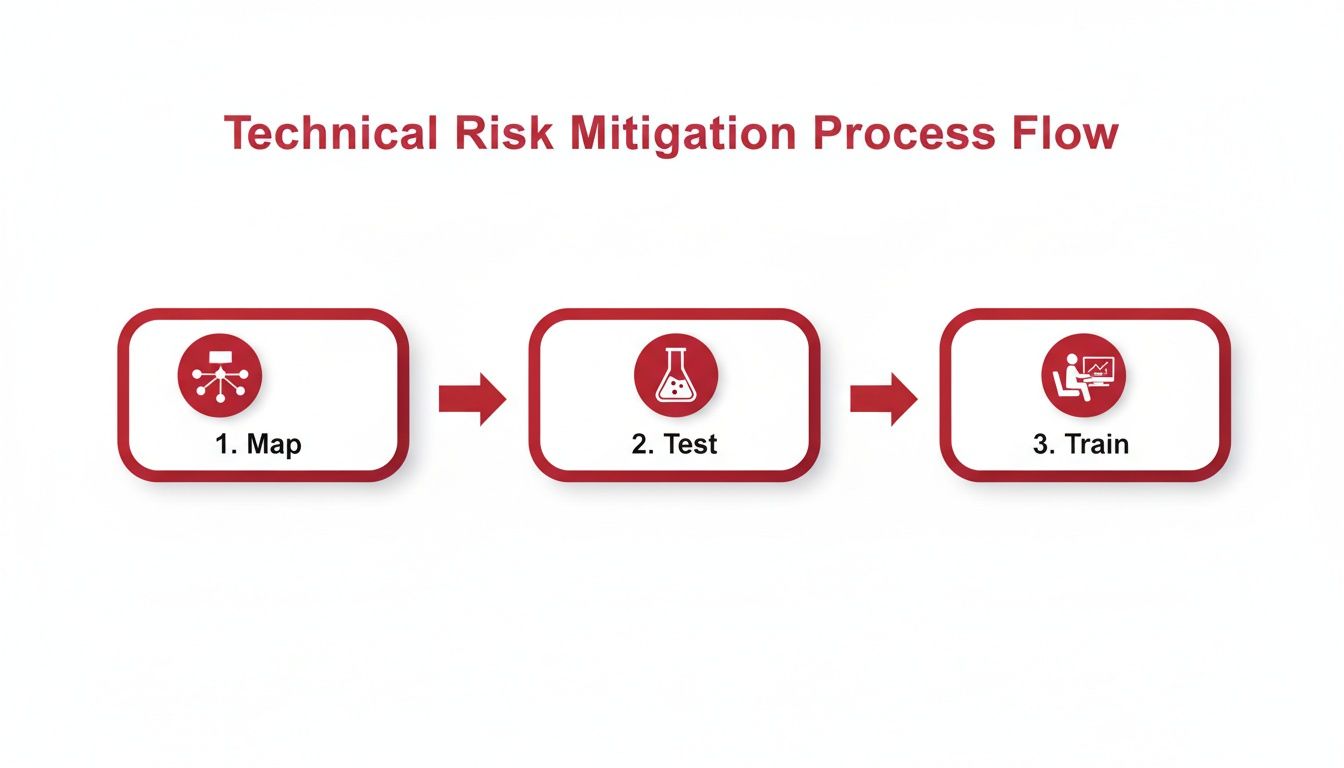
As you can see, mitigating the technical data center migration risks isn’t a one-and-done task. It's a sequence where each step is built upon the one before it.
Phase 3: Execution and Go-Live
It's game time. All the meticulous planning culminates in the migration event itself, whether it's a single weekend or a series of smaller, phased cutovers. The key here is calm, disciplined execution. Everyone follows the runbook. No exceptions. No improvisation.
Your project manager essentially becomes the mission commander, coordinating every team and sending out regular status updates to stakeholders. Communication is everything.
Core activities during execution:
- Final Go/No-Go Meeting: Before anything starts, get all key players in a room (or on a call) for one last check. Is everyone ready? Is everything in place? This is the final sign-off.
- Activate the Communications Plan: Start sending out those pre-written notifications. Let everyone know the migration is starting, when you hit key milestones, and if there are any delays.
- Execute the Migration Runbook: Teams get to work on their assigned tasks. This covers everything from powering down systems and managing physical transport to racking and stacking in the new facility.
- Execute Rollback Plan if Necessary: If you hit one of your pre-defined failure triggers—like a critical business application failing its validation test—don't hesitate. Pull the plug and immediately initiate your rollback plan.
To bring these phases together, the following table provides a high-level action plan that connects key activities to responsibilities and measurable success factors.
| Migration Phase | Key Activities | Primary Responsibility | Critical Success Factor |
|---|---|---|---|
| Discovery & Strategy | Inventory assets, map dependencies, define business requirements, set budget. | Project Manager, IT Architects | 100% accurate inventory and dependency map. |
| Detailed Planning & Design | Create runbook, design target environment, finalize vendors, set up staging. | Migration Lead, Engineering Teams | Runbook detailed enough for third-party execution. |
| Execution & Go-Live | Execute runbook, manage cutover, perform validation testing, communicate status. | Command Center Lead, Technical Teams | Zero unplanned downtime; successful validation. |
| Post-Migration Optimization | Monitor performance, decommission old hardware, update documentation, conduct post-mortem. | Operations Team, Project Manager | Stable performance meeting SLAs; project closed on budget. |
This structured plan ensures that every team knows exactly what they are responsible for and how their success will be measured at every stage of the move.
Phase 4: Post-Migration Optimization
The work isn’t over just because the new systems are live. This final phase is about making sure the new environment is stable, performing as expected, and formally closing out the project. It's also your chance to learn from the experience to make the next project even smoother.
You’ll be watching the new environment like a hawk, monitoring for any weird performance issues or hidden problems that didn't pop up during your tests. This is also when you'll finally decommission the old hardware, which is where you start seeing the real cost savings from your project's business case. Following this structured approach, from discovery to optimization, gives you a proven framework for taming the chaos of a data center migration.
Building a Bulletproof Rollback and Recovery Plan
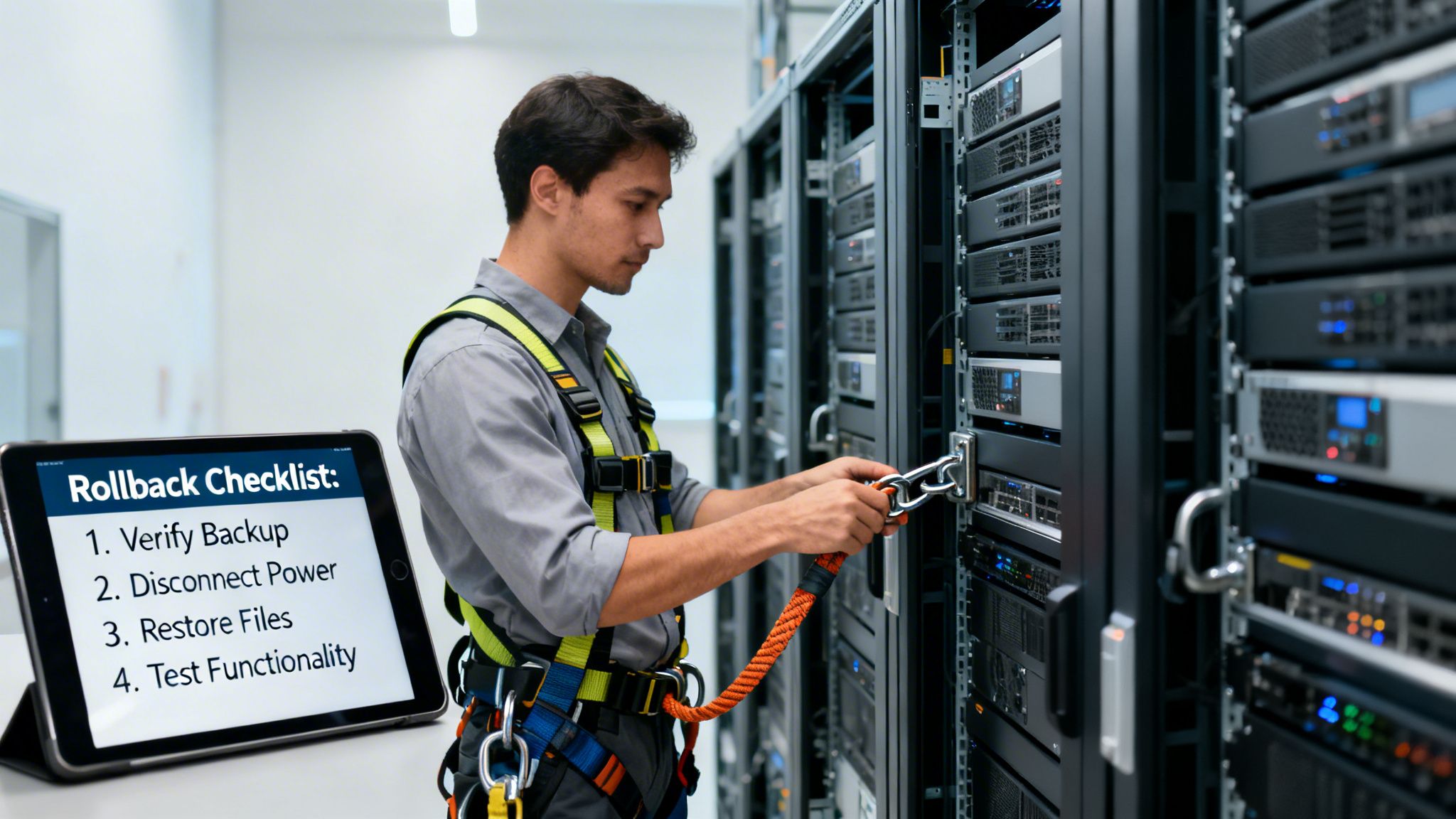
Let's be realistic: no migration plan is perfect, and things can go wrong. Acknowledging this isn't pessimism; it's the mark of a seasoned professional who understands how to manage data center migration risks. In a live migration, your rollback and recovery plan instantly becomes the most critical document you have.
Think of it like a stunt performer's safety harness. The goal isn't to fall, but the harness is what gives them the confidence to attempt the trick in the first place. A solid, well-rehearsed rollback plan provides that same security for your migration team.
Defining the Triggers for a Rollback
A good rollback isn't triggered by a gut feeling. It’s a calculated response based on clear, pre-defined conditions that automatically set the process in motion. This takes the emotion and guesswork out of making a tough call during the high-pressure cutover window.
Your team needs to agree on these triggers long before the migration starts. Some classic examples include:
- Critical Application Failure: A tier-1 system—like your ERP or primary e-commerce platform—fails its post-migration health checks and can't be fixed within a predetermined time, say 30 minutes.
- Widespread Performance Degradation: Key systems are technically running but are so sluggish they're useless to the business.
- Data Integrity Issues: Post-migration validation reveals data corruption or loss that you can't resolve on the spot.
- Missed Milestones: The team falls so far behind the migration runbook schedule that you risk blowing past the approved maintenance window.
Documenting these triggers ensures a "no-go" decision is made quickly and without hesitation, which is key to limiting business disruption. Thinking about recovery on this scale is a core part of learning how to create a disaster recovery plan that will actually work when you need it most.
Crafting a Step-by-Step Procedure
The moment a trigger is hit, your team needs a precise, step-by-step playbook. The objective is simple: get back to the stable, original source environment as quickly and safely as possible.
A rollback plan is not just an idea; it's a fully scripted and rehearsed process. The team responsible for executing it should be able to do so from memory, with the documentation serving only as a final confirmation.
This rollback procedure needs to be every bit as detailed as the migration plan itself. It must spell out every action, from reverting DNS records and re-enabling old network routes to sending out the stakeholder notification that the migration has been aborted. For a deeper look at the specifics, our guide on technology asset reinstatement procedures provides additional context.
The final, and most important, step is to test it. You absolutely must conduct a full dry run of your rollback plan, ideally in a staging environment that mirrors production. This builds the muscle memory needed to act decisively in a crisis and exposes any gaps in your process. Without a tested plan, your safety net is just wishful thinking.
The Right Partner Makes All the Difference
Let's be frank: a data center migration is one of the most demanding projects your organization will ever face. Successfully navigating the minefield of data center migration risks isn't just about good planning; it requires a specialized discipline built on years of hands-on experience. This is no side project for an internal IT team already juggling a dozen other priorities. It’s a full-time mission.
The sheer complexity is staggering, from untangling years of undocumented application dependencies to flawlessly executing the physical move itself. One wrongly patched cable can bring your entire operation to a standstill. A vendor that drops the ball can derail your whole timeline. Going it alone is like trying to perform surgery after reading a medical textbook—you might know the theory, but you lack the muscle memory to handle the unexpected.
Turning Risk Into Reliability
This is where bringing in a strategic partner changes the game completely. An experienced team like Southern Tier Resources doesn't just help you move equipment; they systematically de-risk the entire process, from the first planning meeting to the final sign-off. Their core services are built to solve the exact challenges we've been discussing.
End-to-End Engineering and Project Management: Expert oversight is the antidote to operational risk. A dedicated project manager ensures every phase, from discovery to cutover, is handled with military precision, keeping the project on time and on budget.
Data Center Fit-Outs and Structured Cabling: This is how you tackle technical risk at the source. Proper fit-outs ensure your new site’s power and cooling perfectly match your hardware needs. Expert structured cabling guarantees clean, reliable connectivity from the moment you go live.
Fiber Infrastructure Deployment: If your migration involves new or upgraded connectivity, managing fiber deployment is a project in itself. A partner with this specialty prevents your network from becoming a last-minute bottleneck or, worse, a point of failure.
Choosing the right partner isn’t about outsourcing a task; it’s about insourcing expertise. You're embedding a team whose only job is to see around corners and protect your business continuity at all costs.
Ultimately, a successful migration hinges on one key admission: this is a specialized field. By engaging a partner like Southern Tier Resources, you gain 20+ years of hard-won experience in building, moving, and maintaining the critical infrastructure that modern businesses run on. You stop hoping for a smooth journey and start planning for one.
If you’re preparing for a data center migration, don’t leave your success to chance. Contact Southern Tier Resources to discuss how a strategic partnership can protect your assets and ensure a seamless transition.
Frequently Asked Questions
Even the most buttoned-up migration plan is going to spark questions. Let’s face it, moving a data center is complex, and it’s natural to have some lingering uncertainties. Here, we’ll answer some of the questions we hear most often to help you get a better handle on data center migration risks.
What Is the Single Biggest Mistake in a Data Center Migration
Hands down, the biggest mistake we see is rushing the discovery and planning phase. Teams get excited to start moving hardware, but they jump the gun without a complete, almost obsessive, understanding of how their systems are all connected.
This is where things go sideways. You can't just "lift and shift" what you don't fully understand. That lack of deep-dive dependency mapping is the number one cause of post-migration chaos—broken applications, systems that can't talk to each other, and performance that suddenly tanks. A successful migration is truly 80% planning and only 20% execution.
Don't skimp on the prep work. The time you invest upfront mapping every asset, every connection, and every dependency will save you from utter chaos on the back end.
How Long Does a Typical Data Center Migration Take
There's no one-size-fits-all answer, but for a standard enterprise project, you should budget anywhere from 6 to 18 months. That timeline covers everything from the initial strategy sessions all the way through the final move, post-migration support, and turning the lights off at the old site.
Of course, the scale of your environment is the biggest variable. Moving a handful of servers from a small office could be done in a couple of months. But if you're migrating thousands of servers, tangled legacy applications, and have strict compliance rules to follow, you'll definitely be on the higher end of that 18-month window.
A few key things can really stretch or shrink your timeline:
- Your migration strategy: A slower, phased approach will take longer than a single "big bang" cutover.
- Application modernization: Are you just moving systems, or are you refactoring and improving them along the way?
- Procurement delays: Waiting on new hardware, software licenses, or network circuits can add unexpected months.
When Should I Consider a Phased Migration Versus a Big Bang
A "big bang" migration—where you move everything over one intense, high-stakes weekend—can work. But it's really only a good fit for smaller, simpler environments where you can afford a scheduled outage and the risk is contained. Its main benefit is speed.
For just about any other enterprise, a phased migration is the smarter, safer bet. You should absolutely lean this way if you're dealing with:
- Complex webs of interdependent applications.
- Critical 24/7 services where downtime is not an option.
- An organization that simply can't stomach high-risk scenarios.
Moving in phases lets you migrate applications or departments in manageable chunks. You get to test each wave, fix what you find, and apply those lessons to the next one. It dramatically lowers the chance of a single, catastrophic failure bringing down the entire company.
How Can I Quantify Data Center Migration Risks
Quantifying risks is how you turn vague worries into concrete numbers you can plan around. It’s all about assigning a probability score (how likely is this to happen?) and a business impact score (how bad would it be if it did?) to every risk you identify.
For example, a "total data loss" event might be extremely unlikely, but its impact is so catastrophic that it still gets a very high overall risk score. A simple risk matrix is a great way to visualize this.
Think about impact in these three buckets:
- Financial Impact: This is the most direct. What's your cost of downtime per hour? What are the potential budget overruns or fees from breaking a vendor contract?
- Technical Impact: You can measure this in things like slower application response times or the raw number of users who would be affected by an outage.
- Operational Impact: Gauge this by estimating the spike in help desk tickets or the hours your team would spend troubleshooting post-migration fires.
Taking this quantitative approach ensures you focus your time, money, and energy on the risks that pose a real threat to your project.
Managing the intricate web of data center migration risks requires deep expertise. Southern Tier Resources provides the end-to-end engineering, project management, and infrastructure deployment services to ensure your migration is executed flawlessly. Contact our team today to build a reliable, de-risked migration plan.