The data center network is the unsung hero of our digital lives. It’s the high-speed nervous system connecting everything from complex AI workloads to your weekend movie stream, engineered to move staggering amounts of data with incredible speed and reliability.
The Digital Foundation of Modern Business
Instead of a chaotic jumble of wires, picture a data center network as a meticulously planned city grid. The core components—switches, routers, and cabling—are the roads and intersections that prevent digital gridlock. For any telecom carrier or enterprise, getting this blueprint right isn't just an IT goal; it's fundamental to delivering the uptime and performance customers expect.
The financial investment pouring into these digital backbones is immense. Driven by relentless cloud adoption and virtualization, the data center networking market was valued at USD 34,991 million in 2026 and is projected to soar to USD 122,869 million by 2032. This explosive growth, marked by a 17% CAGR, underscores the non-stop demand for faster, more efficient networks. You can explore more on this trend over at Credence Research.
To better understand how these elements come together, let's take a quick look at the building blocks of a data center network. The following table breaks down the key components and clarifies their role in the bigger picture.
Key Components of Network Infrastructure at a Glance
| Component | Primary Function | Business Impact |
|---|---|---|
| Switches | Directs data traffic within the data center between servers and storage. | Enables fast, low-latency communication essential for application performance and internal operations. |
| Routers | Connects the data center to external networks (like the internet) and other data centers. | Facilitates data exchange with the outside world, supporting customer access and multi-site connectivity. |
| Structured Cabling | Provides the physical pathways (fiber optic, copper) for all data to travel. | A high-quality cabling plant ensures reliability, simplifies maintenance, and allows for future bandwidth upgrades. |
Each of these components plays a distinct, critical role. Together, they form the physical and logical fabric that underpins every digital service.
Why a Solid Network Foundation Matters
A poorly designed network is like a skyscraper built on a weak foundation—it's destined to crumble under pressure. As digital demands intensify, many organizations are forced to rethink their footprint through strategies like data center consolidation to optimize performance.
A truly robust infrastructure is built to absorb traffic spikes, scale with business growth, and recover from failures with minimal disruption.
The ultimate goal of a well-architected data center network is to make distance and location irrelevant. Data should move between any two points within the facility with predictable, low latency, as if the servers were right next to each other.
This very principle is what makes today’s data-hungry applications possible. Whether you’re running a global e-commerce platform or a sophisticated AI model, a stable, high-performance network is the bedrock of your success.
Designing for Scale with Leaf-Spine Architecture
If you've spent any time in a data center, you know that older network designs just can't keep up anymore. The demands from modern applications have forced us to move past those rigid, multi-layered models. Today, the clear winner for performance, low latency, and massive scale is the leaf-spine architecture. It's less of an incremental upgrade and more of a complete rethinking of how traffic should move inside the data center.
Think about the traditional three-tier architecture—core, distribution, and access. It’s a bit like a city with old, winding roads and too many stoplights. For one server to talk to another, its data often had to travel a long, roundabout path up through multiple network layers and then all the way back down. This creates traffic jams and unpredictable delays, especially for the server-to-server, or east-west, traffic that dominates today's virtualized environments.
The leaf-spine model, on the other hand, is like a perfectly designed city grid. Every destination is just a straight shot away, no matter where you start. This approach flattens the network into just two layers, which radically simplifies data paths and eliminates bottlenecks.
Understanding Leaf and Spine Roles
The beauty of this architecture is how straightforward the roles are for its two main components: leaf switches and spine switches.
- Leaf Switches: These are your on-ramps. They sit at the top of each rack and connect directly to the servers, storage arrays, and other endpoints. Their job is to gather all the traffic from the devices doing the actual work and get it onto the network backbone.
- Spine Switches: This is the super-fast backbone itself. Here's the crucial part: every single leaf switch connects to every single spine switch. This full-mesh design creates a web of active paths, so there's always a clear, fast route for data to take.
This setup guarantees that any data packet is only two "hops" away from its destination. It goes from the server to a leaf switch, across to a spine switch, and then down to the destination's leaf switch. That’s it.
By design, a leaf-spine network ensures that every server is an equal distance from every other server. This creates consistent, low-latency performance, which is critical for distributed applications and high-performance computing clusters.
This diagram shows the fundamental hardware that a leaf-spine architecture helps organize for peak efficiency.
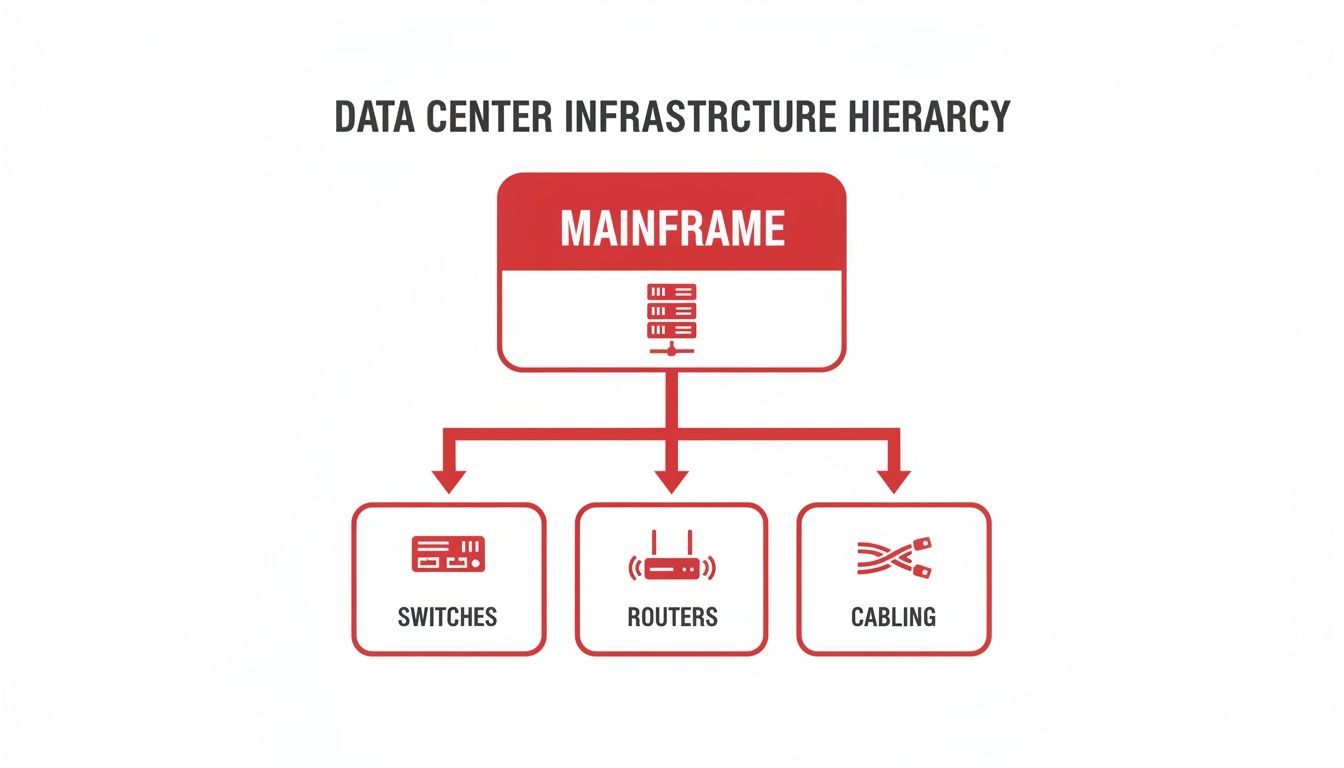
As you can see, the servers rely on a solid foundation of switches, routers, and cabling—all brought together by the network architecture.
Built for Predictability and Horizontal Growth
From a business perspective, the biggest win with leaf-spine is how predictably you can scale. With the old three-tier model, adding capacity could mean a complex and risky re-engineering project. With leaf-spine, growth is refreshingly simple and horizontal.
Need more server ports? Just add a new leaf switch and connect it to the spines.
Is the fabric getting congested? Just add another spine switch.
This “plug-and-play” scalability is exactly why hyperscalers and major enterprises have standardized on it. It allows the data center network to grow right alongside the business without forcing disruptive, expensive overhauls. Of course, growth also demands resilience. To ensure your network stays up during failures or high loads, it's vital to explore the importance of network redundancy as part of your overall strategy.
While the multiple active paths in a leaf-spine fabric provide fantastic built-in redundancy, a complete plan is still key. Ultimately, this model makes building a future-proof network a practical reality, not just an ambitious goal.
Getting Physical: The Bedrock of Data Center Connectivity
You can have the most brilliant network architecture on paper, but it’s the physical layer—the actual cables, connectors, and pathways—where designs either come to life or fall apart. This is the bedrock of your data center. Get it right, and you have a resilient, scalable network; get it wrong, and you're in for years of headaches.
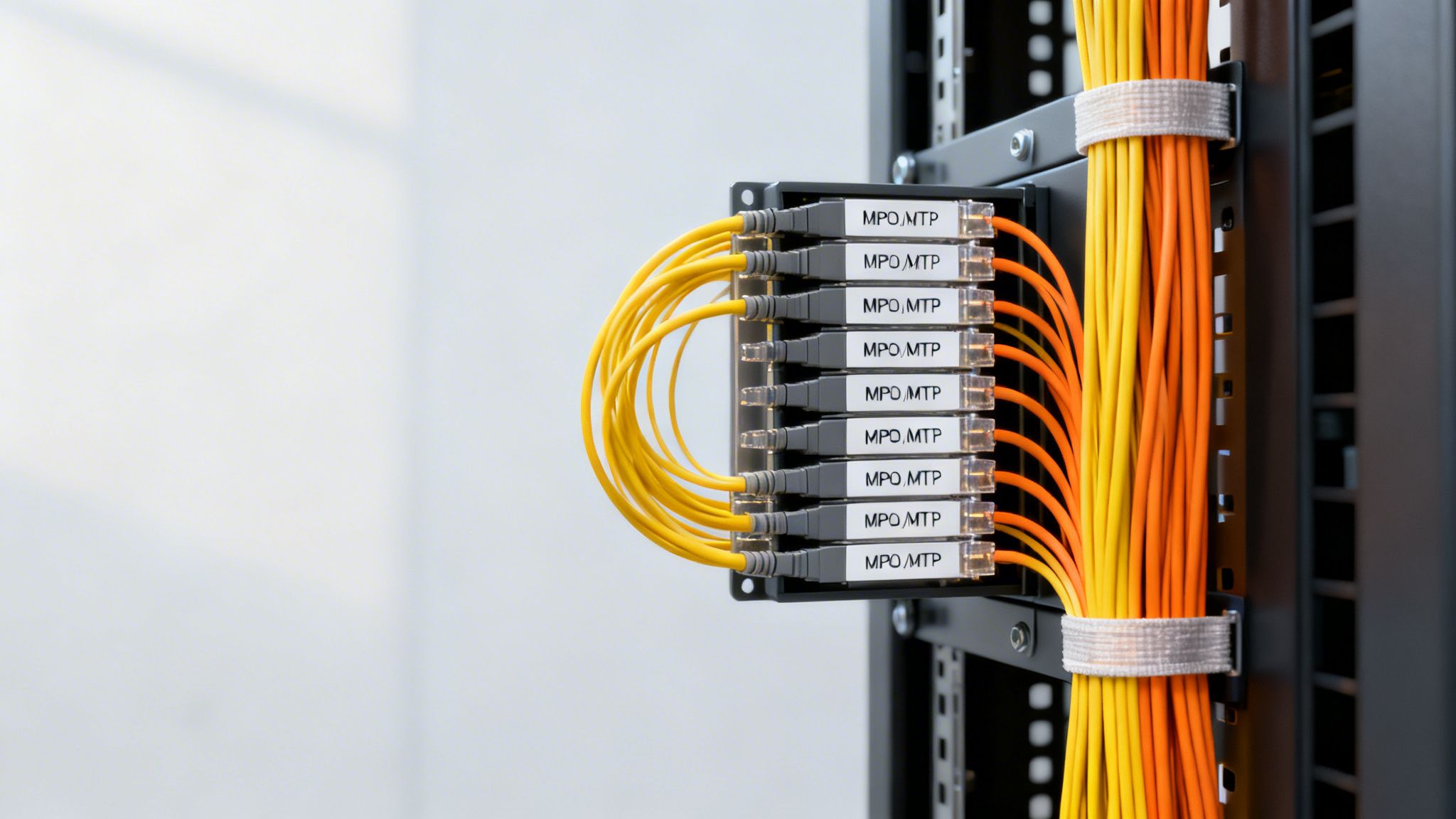
The key to getting it right is a structured cabling system. Forget the "rat's nest" of tangled wires you might picture. A proper structured system is more like an impeccably planned city grid. It creates a standardized, predictable framework that makes everything from routine maintenance to major upgrades straightforward and manageable. It's the difference between a five-minute patch job and a five-hour scavenger hunt.
Why Fiber Optics Became Non-Negotiable
Copper cabling had a good run, but its time in the high-performance data center is over. The staggering bandwidth demands from AI, machine learning, and cloud workloads made the switch to fiber optics inevitable. Since fiber transmits data using light, it’s completely immune to the electromagnetic interference (EMI) that can disrupt copper connections. More importantly, it can carry vastly more data over much greater distances.
This transition isn’t just a trend; it's a necessity driven by explosive growth. Consider this: in North America alone, we're seeing 6,350.1 megawatts of new data center capacity currently under construction. That's a 100% year-over-year jump, an unprecedented building boom that requires a high-bandwidth, low-latency fabric that only fiber can deliver.
Inside the data center, you'll mainly encounter two types of fiber, each suited for a different role.
- Multi-Mode Fiber (MMF): Think of this as your local workhorse. With a larger core, it’s perfect for short-haul connections within a row or rack, like connecting servers to their top-of-rack switch. It’s the cost-effective choice for distances up to a few hundred meters.
- Single-Mode Fiber (SMF): This is the long-distance champion. Its incredibly narrow core guides a single beam of light, minimizing signal degradation. This allows it to push data across entire data halls or even between buildings on a campus, spanning many kilometers without a hitch.
Packing in More Performance with High-Density Connectors
As port speeds escalated from 10G to 100G and now push toward 400G and 800G, a new physical challenge emerged: how do you fit all that connectivity into a finite amount of rack space?
The industry’s answer was the Multi-fiber Push-On (MPO) connector, often seen under the MTP brand. These are small engineering marvels, bundling 8, 12, or even 24 fiber strands into a single connector that’s barely the size of a fingertip.
MPO connectors are what make modern, high-density leaf-spine networks physically possible. They allow us to use "breakout" cables, where a single 400G port can be split into four independent 100G links. This massively simplifies cabling and improves airflow in crowded racks.
Of course, a robust cabling plan also has to account for critical safety and compliance rules. You can find a deeper dive on this topic in our guide to wiring best practices and code compliance.
Ultimately, a well-designed structured cabling system isn't just an operational expense. It's a fundamental investment in the stability, reliability, and future scalability of your entire data center operation.
Integrating Power and Cooling for Peak Performance
You can have the fastest network gear on the planet, but its performance is worthless without a solid foundation of power and cooling. In a data center, these three elements—network, power, and cooling—are completely intertwined. You simply can’t design for one without deeply considering the other two.
It's helpful to think of your switches and routers as high-performance engines. They need a constant supply of clean fuel (power) to run, but they also generate a massive amount of heat that needs a robust cooling system to carry it away. If either fails, the engine seizes up.
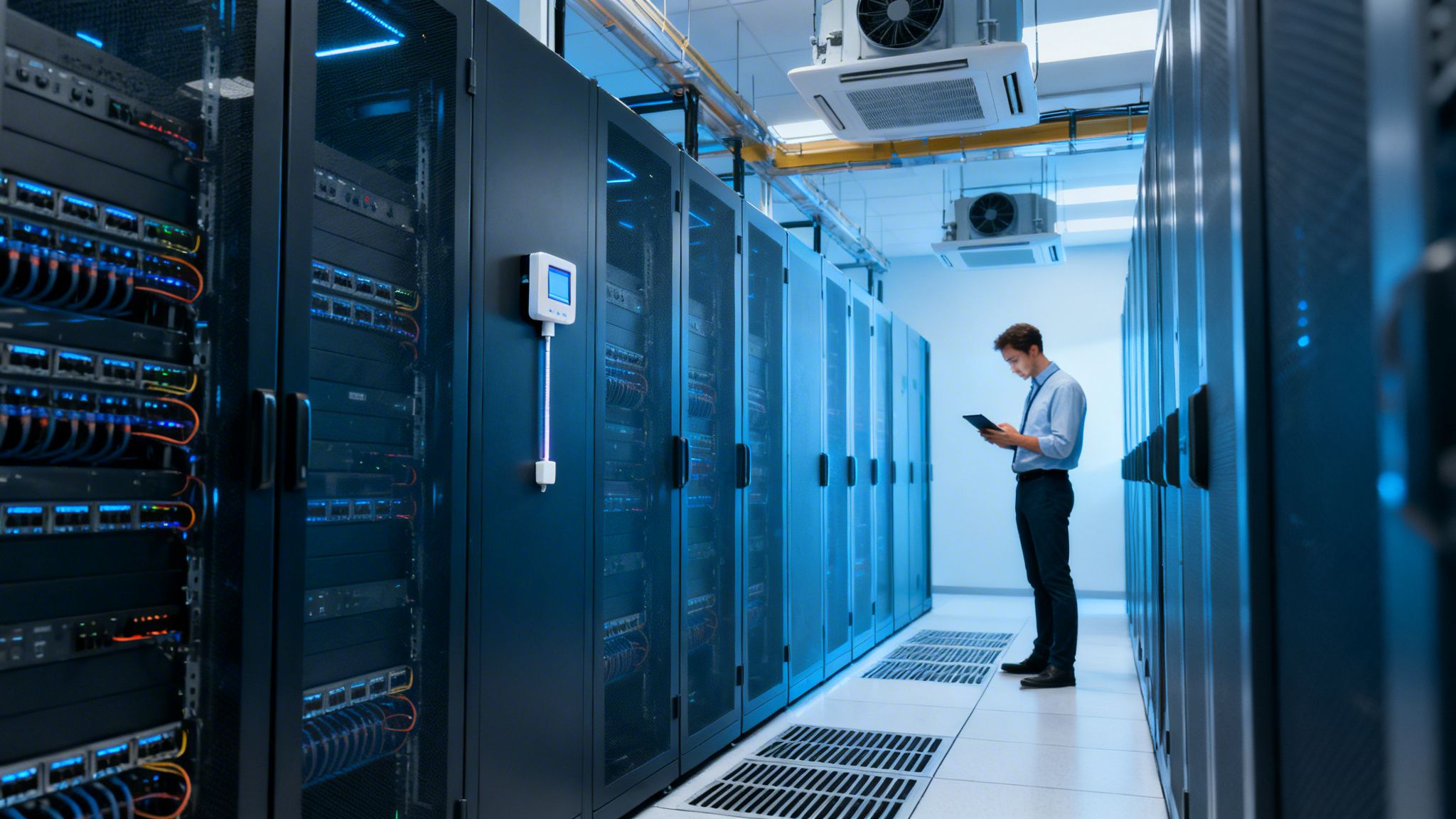
This relationship is fundamental. Power flows from uninterruptible power supplies (UPS) to the Power Distribution Units (PDUs) that energize each rack. But here’s the catch: nearly every watt of electricity your network equipment consumes is converted directly into heat. That heat has to go somewhere, or your expensive hardware will start to throttle performance before failing completely.
Designing for Uptime with Power and Cooling Redundancy
To guarantee constant operation, modern data centers engineer redundancy into every layer of their power and cooling infrastructure. This isn't just about having a generator in the back; it's a sophisticated strategy that maps directly to the Tier I-IV classification system that underpins service level agreements.
- N+1 Redundancy: This is the baseline for serious operations. The facility has enough capacity to run everything (that's 'N'), plus one extra, independent component. If a cooling unit or power supply goes down, the "+1" spare kicks in automatically, with no interruption.
- 2N Redundancy: This model essentially creates a fully mirrored, independent duplicate of the entire power and cooling system. It’s like having two power plants and two cooling plants, where either one can carry the full data center load. An entire system can fail, and the facility keeps running without a hiccup.
The highest ratings, like Tier III and Tier IV, demand these kinds of fault-tolerant designs to promise 99.982% and 99.995% uptime, respectively. Hitting those numbers is only possible when power pathways and network cabling are planned together from the very beginning.
The Soaring Power Demands of Modern Racks
The single biggest operational challenge we're facing today is the astronomical rise in power density per rack. Just a few years ago, a rack drawing 5-10 kilowatts (kW) was considered dense. As of 2026, it's not uncommon to see racks built for AI and machine learning workloads pulling over 100 kW. This puts an unbelievable strain on both the power grid and the cooling systems.
AI is the main catalyst here. The power required to run these workloads is exploding, with some estimates showing U.S. data center demand rocketing from just 4 GW in 2024 to 123 GW by 2035. It's no surprise that in a recent Deloitte survey, 72% of executives cited power capacity as a major constraint.
As rack densities increase, so does the risk of creating "hotspots"—localized areas where heat builds up faster than cooling systems can remove it. This is why a unified approach to deploying power and network cabling is critical; it ensures proper airflow and prevents thermal choke points that can bring down high-value equipment.
Tackling these extreme densities requires looking at the facility as a single, cohesive system. For example, you must ensure that your cooling infrastructure—whether it's traditional CRAC units or more advanced liquid cooling—can be deployed without blocking critical network pathways or creating cabling nightmares. To dig deeper into this, you can read our guide on effective data center cooling strategies and see how these systems fit together.
In the end, a successful data center design treats power, cooling, and networking not as separate project tasks, but as three parts of one unified machine.
Orchestrating Traffic with Software-Defined Networking
While a solid physical layer provides the highways for data, it’s the network services running on top that act as the intelligent traffic management system. For decades, this has been the domain of routing and switching. Routers, speaking protocols like BGP, direct traffic between different networks. Inside the data center, switches handle the local flow of data. For a long time, these roles were inextricably tied to the hardware they ran on.
But the modern data center moves at a blistering pace, demanding more agility, more automation, and centralized command. This pressure forced a complete rethinking of how networks are managed, giving rise to Software-Defined Networking (SDN). It’s less an evolution and more of a revolution, completely separating the network's brain from its brawn.
Think of it like this: in a traditional network, every switch and router is like a pilot making their own flight path decisions in isolation. With SDN, a central air traffic control tower—the controller—sees the entire airspace and makes intelligent, coordinated routing decisions for every single plane.
Decoupling Control from Hardware
The breakthrough idea behind SDN is the separation of the control plane (the network's intelligence) from the data plane (the hardware that actually forwards the packets). This might sound like a simple architectural tweak, but its impact on how a data center operates is massive.
By centralizing the control plane into a software controller, network administrators gain the power to program, manage, and secure the entire network fabric from a single pane of glass. This eliminates the tedious and error-prone task of manually configuring hundreds or thousands of individual devices. Instead of logging into box after box, you define network-wide policies and push them out instantly.
By abstracting the network’s control logic from the physical hardware, SDN transforms a rigid, device-centric infrastructure into a flexible, application-centric resource. The network becomes programmable, automated, and far more responsive to business needs.
This programmability is the key to genuine network automation and agility. It's what allows operations teams to spin up new services and applications in minutes, not weeks.
Traditional Networking vs. Software-Defined Networking (SDN)
To really grasp the significance of this shift, it helps to put the old and new models side-by-side. This table breaks down the key differences in how networks are built and managed.
| Aspect | Traditional Networking | Software-Defined Networking (SDN) |
|---|---|---|
| Architecture | Control and data planes are integrated on each device. | Control plane is centralized; data plane is distributed. |
| Management | Managed on a per-device basis (CLI, SNMP). | Managed centrally via a software controller and APIs. |
| Agility | Changes are manual, slow, and complex. | Changes are automated, fast, and programmable. |
| Traffic Flow | Optimized for static, predictable paths. | Optimized for dynamic, on-demand traffic patterns. |
As you can see, the move to SDN is about trading rigid, manual processes for programmatic control and speed. It fundamentally changes the operator's relationship with the network.
Essential Services in an SDN World
Beyond basic routing and switching, an SDN environment orchestrates a suite of critical network services. These services are often virtualized, allowing them to be deployed on demand as part of an intelligent, secure fabric.
- Load Balancing: This service is the traffic cop for your applications. It intelligently distributes incoming requests across multiple servers, preventing any single machine from getting overwhelmed and ensuring a consistently smooth user experience.
- Micro-segmentation: A truly powerful security technique that has flourished under SDN. Micro-segmentation lets you create granular security zones around individual workloads. Instead of just guarding the perimeter, you can build secure "bubbles" around each application, which dramatically limits an attacker's ability to move laterally if they breach your network.
By integrating these services, SDN creates a network that is not just fast, but also responsive, self-healing, and inherently more secure. This model is foundational for modern cloud environments. For those tasked with managing and optimizing data center systems, understanding these principles is no longer optional—it's essential.
Your Implementation Roadmap and Best Practices
Turning a complex data center network design into a working reality is where the rubber meets the road. A successful project isn't just about the hardware you pick; it's a direct result of smart planning, disciplined execution, and a commitment to getting it right from the very beginning. This is our playbook for getting you there.
The real work starts long before the first cable is run. I've seen far too many projects stumble because they were built only for today's needs. Don't fall into that trap. Your design should account for the traffic you'll have in three to five years, not just what's on the books now. That means planning for higher port speeds and denser racks than you might think you need.
Phase 1: Strategic Design and Future-Proofing
The design phase is your single best chance to set the project up for long-term success. The architectural choices you make here will define your operational life for years. Trying to rush this stage almost always leads to expensive, disruptive changes down the line.
Here’s what you need to lock down during this critical phase:
- Anticipate Speed Migrations: Even if you're only deploying 100G today, design your structured cabling to handle 400G and 800G in the future. Investing in high-quality fiber and MPO connectivity now saves you from a nightmare rip-and-replace project later.
- Build for Modularity: A leaf-spine architecture, by its very nature, is modular. This lets you add capacity in small, manageable increments. This "pay-as-you-grow" model is much healthier for your budget, preventing massive upfront spending and tying infrastructure costs directly to business growth.
- Plan for Power and Cooling: Get your facilities team in the room from day one. Your network layout has to work hand-in-hand with power from the PDUs and the room's airflow design. Neglecting this leads to hotspots that will absolutely throttle your high-performance gear.
Phase 2: Execution and Quality Assurance
With a solid design in hand, the focus shifts to building it. In this phase, there is no room for compromise on quality control or standards. Every single connection, termination, and patch has to be perfect. This is the moment when an experienced infrastructure partner truly proves their worth.
A design is only as good as its implementation. Mandating 100% testing and certification for every single cable is not an optional expense—it is a foundational best practice that prevents countless hours of troubleshooting elusive performance issues after launch.
As you move through the build-out, make these actions your top priority:
- Strict Standards Adherence: All work must follow TIA/EIA standards for structured cabling, labeling, and pathways. This isn't just about following rules; it guarantees that components will work together and makes future management infinitely simpler.
- Comprehensive Testing: Every fiber and copper link needs to be tested and certified with professional-grade tools like an Optical Time-Domain Reflectometer (OTDR). Those test reports are non-negotiable and form a crucial part of your final documentation.
- Meticulous Documentation: From the moment installation starts, document everything—every cable, every port, and every patch panel. This becomes a living record that is absolutely essential for day-to-day operations and any future work.
Phase 3: Handover and Operational Readiness
The final step is the official handover. Your infrastructure partner should deliver a complete documentation package, including all certified test results. Most importantly, you need the detailed as-built plans.
These documents are the definitive map of your physical network. They are what your team will rely on for every move, add, and change for the entire life of the data center. Without them, you're flying blind.
Frequently Asked Questions
When you're deep in the weeds of data center network design, practical questions always come up. Here are some of the most common ones we hear from our partners in the field, along with straightforward answers from our experience.
What Is the Biggest Difference Between Leaf-Spine and Traditional 3-Tier Architecture?
We get asked this a lot. The core difference really comes down to how data moves and how easily the network can grow.
Think of a traditional 3-tier design (core, distribution, access) as being built for traffic that's mostly entering or leaving the data center—what we call "north-south" traffic. This model was fine for a long time, but it can create serious bottlenecks for modern applications where servers need to constantly talk to each other.
That's where leaf-spine architecture shines. It's designed specifically for that internal "east-west" (server-to-server) traffic. Every server is essentially the same short "hop" away from any other server, which gives you predictable low latency. This flat, non-blocking design makes it incredibly simple to scale out just by adding more switches.
Why Is Structured Cabling So Important When Wireless Technology Is Advancing?
While wireless has come a long way for connecting people and devices, it simply can't compete with the raw performance needed inside a data center. Think of it this way: wireless is for convenience, but fiber is for mission-critical performance.
AI workloads, massive data backups, and high-frequency trading all demand the kind of dedicated, secure, high-gigabit bandwidth that only a well-planned structured cabling system can provide. It's the physical bedrock of your network, engineered to eliminate interference and minimize latency to levels wireless can't touch.
How Do I Start Planning for the Power Needs of Future AI Workloads?
The best advice is to plan for a future that's more power-dense than you can imagine. Start by assuming your power requirements per rack will grow substantially, and build that assumption into your design from day one.
This means talking to your infrastructure partners and utility providers early. You'll want to specify rack PDUs (Power Distribution Units) that can handle more than your current load, explore high-density rack layouts, and even start evaluating advanced cooling solutions like direct-to-chip or immersion cooling.
While you can scale many things modularly, your site-level power capacity is not one of them. You have to plan that years ahead. If you don't, you'll eventually hit a hard wall that stops you from adopting the high-density compute you need to stay competitive.
What Does a Turnkey Fit-Out Mean for a Data Center Project?
A turnkey fit-out simply means you have one expert partner responsible for the entire infrastructure build, from the empty floor to a fully operational environment. It's a comprehensive service that covers every single step.
This includes:
- Initial design and engineering
- Procuring all materials
- Installing all power and cabling systems
- Building out containment
- Racking and stacking your equipment
- Full-scale testing and certification
The real benefit is having a single point of accountability. It eliminates coordination headaches and ensures all the individual pieces—power, cooling, cabling, and hardware—are integrated perfectly. It’s the most direct path to getting your facility online, on time, and ready for service on day one.
Ready to build a reliable and scalable network? Southern Tier Resources provides end-to-end data center infrastructure fit-outs, from design and engineering to professional installation and testing. Visit us at https://southerntierresources.com to learn how our expert teams can deliver your next project with precision and quality.