For the kind of network support Dallas businesses need to thrive, you need a partner who gets the city's unique, high-stakes infrastructure. This isn't about finding a generic IT company. It's about bringing in experts who live and breathe massive data flows, bulletproof connectivity, and the specific challenges of our local tech scene.
Why Dallas Businesses Demand More Than Standard IT
In a city like Dallas—the epicenter of Texas's tech and data center boom—'good enough' IT support simply doesn't fly. The old break-fix model, where you just call someone when something breaks, is a relic. To succeed here, you need a proactive network partner who truly understands the lay of the land, from the fiber routes under the streets to the specific compliance hurdles.
This shift isn't happening in a vacuum. It’s a direct response to the region's explosive growth as a technology hub. The Dallas-Fort Worth metroplex isn’t just part of the tech boom; in many ways, it's leading the charge.
Texas is on track to become the world's largest data center market by 2030, with DFW as its primary engine. The proof is in the numbers: The region saw a 38% surge in data center employment between 2018 and 2024.
This kind of growth puts immense pressure on local businesses. Your network stops being a simple utility and becomes the central nervous system of your entire operation. Its performance is a direct measure of your ability to keep up and compete.
The True Cost of Inadequate Support
I've seen firsthand what happens when this is overlooked. A mid-sized logistics company here in Dallas was using a national, one-size-fits-all IT provider. During a critical system upgrade, a simple network misconfiguration brought their entire warehouse operation to a grinding halt. For eight hours.
The problem? Their national provider had no one local and no real experience with the specific fiber optic connections their facility relied on. That single incident cost them dearly in lost revenue and credibility.
This is exactly why so many Dallas businesses are now seeking specialized support and exploring the benefits of outsourced IT services to get dedicated experts on their side. In this environment, strategic network management isn't just an expense—it's a competitive weapon. You can see for yourself how a dedicated infrastructure partner can help by checking out our comprehensive services at https://southerntierresources.com/.
First, Get Your Own House in Order
Before you even think about calling a single vendor for the kind of network support Dallas businesses depend on, you have to do your homework. Too many companies jump straight into the procurement process without a clear picture of what they actually need. It’s a classic mistake, and it almost always leads to a solution that’s either overkill or, worse, completely misses the mark.
The real first step is an honest, thorough audit of your current setup. Don't just make a mental checklist—get it all down on paper. Map out your servers, both on-premise and in the cloud. How many sites are you supporting? What about remote employees? Get a handle on every critical endpoint that touches your network. More importantly, pinpoint exactly where the pain is. Are video calls constantly dropping in the conference room? Do large file transfers grind productivity to a halt? This list of current frustrations becomes your immediate to-do list for any potential partner.
From there, it's about shifting your mindset. Most businesses start with a simple "break-fix" approach to IT, but that's a reactive model that keeps you on the back foot. The goal is to become proactive, using your network as a tool to push the business forward.
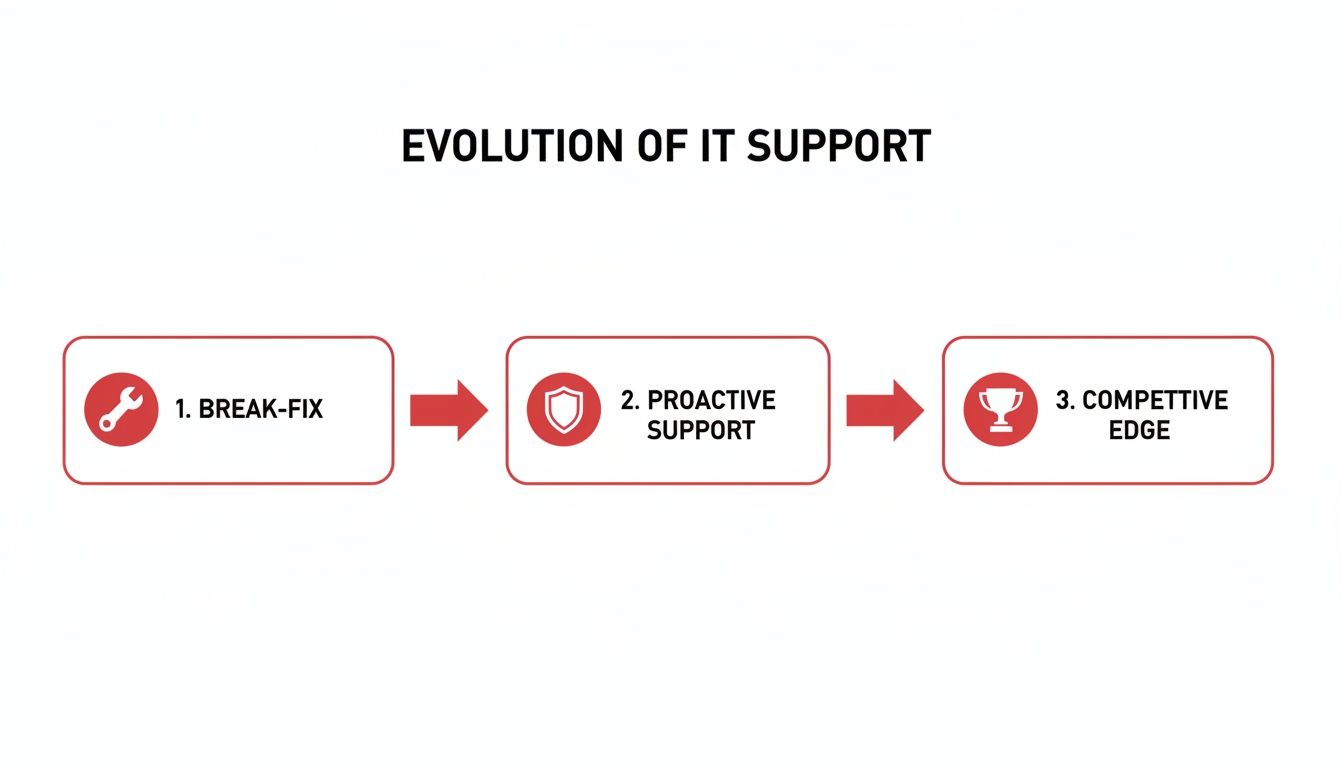
As you can see, simply reacting to problems is the baseline. The real value—and the competitive edge—comes from strategic planning and proactive management. This is the difference between an IT department that’s seen as a cost center and one that’s recognized as a growth engine.
Pinpoint Your Core Technical Requirements
With a clear audit in hand, you can start translating your business needs into concrete technical specs. This is where the rubber meets the road, giving potential providers the hard data they need to craft a meaningful proposal. You need to get specific and quantify your requirements.
Your internal assessment should answer these questions:
- What Uptime Can You Live With? Everyone wants 100% uptime, but it comes at a cost. Is 99.9% (about 8.7 hours of downtime a year) good enough? Or does your operation demand "five nines" (99.999%), which is just over five minutes of downtime annually? Be honest about what a minute of downtime actually costs your business.
- How Much Bandwidth Do You Really Need? Tally up your bandwidth demands per location. A satellite office might be fine with 1 Gbps, but a data-heavy headquarters or production facility might need a dedicated 10 Gbps or even 100 Gbps fiber circuit to keep things moving.
- What Are Your Security & Compliance Mandates? Make a list of every regulation and standard you're bound by. Are you in healthcare and subject to HIPAA? Do you process payments and need to follow PCI DSS? This information dictates everything from firewall configurations to data encryption and network segmentation.
I’ve seen this happen time and again: a company underestimates its growth. A Dallas logistics firm we knew planned for 1 Gbps fiber, feeling it was more than enough. Six months later, a new client contract doubled their data load, and their "new" network was already a bottleneck. Always, always plan for 3-5 years of growth.
Turning Your Needs into a Vendor Litmus Test
Once you’ve documented all of this, you’re in a position of power. You're no longer asking vague questions like, "What can you do for us?"
Instead, you can go to a provider with specific, targeted inquiries: "Can you deliver and guarantee 99.99% uptime for our Dallas data center? We also need a redundant 10 Gbps fiber path to our regional office in Plano. How would you accomplish that?"
This level of detail forces providers to give you a straight, comparable answer. If you're looking to take this a step further, our guide on building scalable network infrastructure can help you think even bigger. You've effectively transformed a fuzzy search for "help" into a precise procurement process—the first step toward a partnership that will actually work.
How to Vet Network Support Providers in Dallas

With your network blueprint finalized, the real work begins: finding a partner who can actually build it. The Dallas-Fort Worth area is crawling with providers, but a slick website and a good sales pitch don't equal field-tested expertise.
Your mission is to cut through the marketing fluff and validate their real-world capabilities. Don't be afraid to ask tough, direct questions. This is your infrastructure, and there's a lot on the line.
Go Beyond the Brochure to Verify Technical Experience
The first thing you need to do is grill them on their technical track record right here in DFW. A provider's true value is rooted in their local knowledge and a portfolio of successfully completed projects.
Here are the questions I always start with to separate the pretenders from the true professionals:
- Large-Scale Fiber Projects: Ask for specific examples of multi-site fiber optic deployments they’ve personally engineered and constructed in North Texas.
- Make-Ready Engineering: Have they actually managed pole attachment applications and navigated the complex right-of-way permitting process with cities like Dallas, Plano, or Irving?
- Complex Data Center Builds: Request case studies or walk-throughs of their work inside major Dallas data centers. This proves they can handle the high-density power and cooling demands of modern facilities.
This line of questioning is a great litmus test. A genuine infrastructure partner won't just have answers; they'll be proud to show you their work.
Experience inside our local data centers is non-negotiable. The Dallas-Fort Worth market is on track to double by the end of 2026, with a mind-boggling 350 megawatts of capacity currently under construction. What's more, 90% of that new space is already pre-leased.
Power consumption is also exploding. New leases are averaging 200 kilowatts per rack—a massive jump from the old 5–7 kilowatt standard. A provider who hasn't worked in a modern data center recently will be completely out of their depth. You can learn more about this dramatic market shift from industry reports. Read the full research about Dallas's exploding data center footprint.
Scoring Providers on the Factors That Matter
To compare vendors objectively, you need a simple, consistent scoring method. I recommend focusing on tangible metrics that speak to a provider's stability, responsiveness, and professionalism.
A provider's local DFW presence isn't just a nice-to-have—it’s a direct indicator of their ability to respond when things go wrong. When your network is down, you need local technicians, not a call center two time zones away.
Use a simple scorecard to rate each potential partner on these critical factors:
- DFW Presence: Do they have a physical office and warehouse in the Metroplex?
- 24/7 Response Team: Can they contractually guarantee on-site mobilization any time, day or night?
- Safety History: What is their Experience Modification Rate (EMR)? A rate below 1.0 indicates a strong safety record and a professional operation.
- Project Management Style: Will you get a dedicated project manager? Do they have a clear process for providing detailed, transparent updates?
To help you narrow down the type of provider you need, it's helpful to understand the different players in the market. The table below breaks down the common options for network support Dallas businesses typically consider.
Comparing Network Support Provider Types
This comparison should help you identify which kind of partner aligns best with your organization's scale and core requirements.
| Provider Type | Best For | Core Services | Typical Scale |
|---|---|---|---|
| Managed Service Provider (MSP) | Small to mid-sized businesses needing day-to-day IT management. | User helpdesk, software updates, basic network monitoring, security. | 10-250 employees. |
| Specialized Infrastructure Firm | Businesses with large-scale fiber, wireless, or data center projects. | Fiber construction, data center fit-outs, wireless tower builds. | Enterprise, carriers, data centers. |
| Telecom Carrier | Companies needing primary internet connectivity and transport services. | Dedicated internet access (DIA), point-to-point circuits. | All sizes, focus is on the circuit. |
Ultimately, a structured vetting process like this one moves you past gut feelings and into a confident, data-driven decision. It's the surest way to find a partner who is truly capable of supporting your business as it grows.
Navigating Contracts and the Realities of Dallas Infrastructure
After all the meetings and demos, it all comes down to the contract. This is where promises become commitments, and it’s your single best tool for ensuring you get the service you’re paying for. When your business is on the line, a handshake agreement simply isn’t enough.
Let's cut through the legalese and focus on what truly matters in a network support contract, starting with the most critical component: the Service Level Agreement (SLA).
Defining Success in Your Service Level Agreement (SLA)
Think of the SLA as the official rulebook for your partnership. It’s not the place for vague promises or gray areas; it’s where your provider contractually commits to specific performance metrics. If a potential partner seems hesitant to put concrete numbers and penalties in writing, consider it a serious red flag.
A strong SLA for your Dallas operations needs to clearly outline:
- Guaranteed Response Times: This is non-negotiable. The SLA must define different response windows based on the severity of the issue. A total network outage (Severity 1), for instance, should trigger a 15-minute acknowledgment and a 1-hour on-site response.
- Resolution Time Objectives (RTOs): While it's harder for providers to guarantee a fix time, an RTO demonstrates their confidence. It shows they're committed not just to showing up, but to resolving the problem within a reasonable timeframe.
- Penalties for Non-Compliance: What are the consequences if they miss a guaranteed response time? A solid SLA spells this out, usually in the form of service credits on your next invoice. This gives them a real financial stake in meeting their obligations.
- Uptime Guarantees: For infrastructure like fiber circuits or data center links, this is crucial. Look for a commitment defined as a percentage, like 99.99% availability, and understand how it’s measured.
I’ve seen providers offer impressive response times but then balk when we discuss penalties for failure. A provider's willingness to accept financial consequences is the truest test of their commitment to you.
Without a detailed and enforceable SLA, you're essentially flying blind. This document is your leverage, ensuring accountability when you need it most.
Tackling Dallas-Specific Hurdles
Choosing a network support Dallas provider involves more than just technical skill and a good contract. You need a partner who understands the unique physical and regulatory landscape of the DFW metroplex. Building and maintaining network infrastructure here is not for the faint of heart.
Out-of-town providers often stumble when faced with our local complexities. A partner with deep Dallas roots will already know how to handle:
- City Permitting for Construction: Navigating the permitting process in Dallas is different from Fort Worth, which is different from Plano or Irving. A local expert has established relationships with municipal officials, which can prevent your project from getting stuck in limbo for weeks or months.
- Right-of-Way (ROW) Access: Getting permission to access utility poles or run underground conduit is a bureaucratic maze involving Oncor, city governments, and other utilities. A provider who knows the local ROW players and processes can cut through the red tape that often derails projects.
- Local Code Compliance: From data center power and cooling to outdoor fiber enclosures, all work must meet specific Dallas building and electrical codes. A seasoned local partner ensures everything is built to code from the start, saving you from failed inspections, costly rework, and potential safety liabilities.
By negotiating these local realities into your contract, you’re securing more than just a vendor. You’re locking in a partner who is prepared for the real-world challenges of getting work done in Dallas.
Making the Switch: A Guide to a Seamless Network Go-Live
This is where the rubber meets the road. All the planning in the world means nothing if the actual transition to your new network is a chaotic mess. A successful go-live isn't about flipping a switch and crossing your fingers; it’s about methodical testing, careful staging, and crystal-clear communication.
It all starts long before cutover day with something that should be non-negotiable: a detailed site survey. Your chosen network support Dallas partner needs to put boots on the ground and physically walk every single inch of the project space. They're not there for a quick look. They're hunting for problems—verifying power outlet locations, measuring rack space, and mapping out the exact pathways for every cable. Think of it as a preemptive strike against the surprises that love to derail projects and blow budgets.

Test, Verify, and Test Again—Before You Go Live
Once the hardware is racked and the cables are pulled, the real work begins. I've seen too many companies blindly trust that new circuits and equipment will perform as promised, only to face a nightmare on launch day. Don't make that mistake. You must demand documented proof of performance before a single user is migrated.
Your provider should be running industry-standard diagnostics and handing you the reports. Specifically, you want to see:
- OTDR Testing for All Fiber: An Optical Time-Domain Reflectometer (OTDR) is the definitive tool for fiber optics. It shoots a light pulse down the line to validate the quality of every splice and connection. It’s the only way to know for sure that your cable can handle its advertised bandwidth.
- Wireless Signal Strength "Heat Maps": For any Wi-Fi deployment, ask for a post-installation heat map. This visual report shows the actual signal strength across your entire facility, proving there are no dead zones in the CEO's office or the warehouse shipping station.
- Data Center Power and Cooling Validation: When new servers or switches go into a rack, your provider needs to confirm the power draw and heat output are well within the capacity of the rack's circuits and the data center's cooling systems. Overlooking this can lead to tripped breakers and fried equipment.
A confident, professional team will have no problem showing you their work. If a potential partner balks at providing detailed OTDR traces or a full heat map report, consider it a massive red flag. They should be proud to prove their quality.
Roll It Out in Phases to Minimize the Pain
That "big bang" cutover where you switch everything at once? It’s a high-wire act without a net. It’s far smarter and safer to use a phased rollout. This approach dramatically lowers your risk and contains any potential issues to a small, manageable group.
Start with a single department or a less critical office location. This pilot group can stress-test the new network in a real-world environment and provide invaluable feedback. You get to work out the kinks before the entire organization is impacted.
Throughout the rollout, communication is everything. Appoint a single point of contact on your side and ensure the provider does the same. Every update, every piece of scheduled downtime, and every progress report should be channeled through these two people. This prevents confusion and keeps everyone on the same page. For organizations with more complex needs, it's also worth exploring how to build network redundancy for business continuity to add another layer of protection.
By pushing for exhaustive testing and managing a controlled, phased launch, you turn a high-stakes event into a predictable process. The goal is a network that works perfectly from day one—not one that generates a mountain of help desk tickets before you've even finished the launch-day donuts.
Mastering Long-Term Network Health and Support
Getting your new network infrastructure up and running is a huge milestone, but it's really just the starting line. The true test of a great network—and a great support partner—is how well it performs day in and day out, month after month. It's a living system, and it needs consistent care to keep your Dallas business operating at its peak.
This is where you shift from a reactive, break-fix mindset to a proactive one. Sure, you need a team that can jump on emergencies, but the real goal is to prevent those emergencies from ever happening. A solid provider will have a clear, documented schedule for firmware updates, hardware health checks, and constant performance monitoring.
Establishing Clear Escalation Paths
When something inevitably goes wrong, the last thing you want is a frantic search for the right person to call. A well-defined escalation matrix is one of the most critical documents your network support Dallas partner can provide. It's your roadmap in a crisis.
This document shouldn't be a generic support number. It needs to list names, direct phone numbers, and email addresses for different tiers of support, detailing who to contact for everything from a sluggish connection to a full-blown outage. This creates a clear chain of command and ensures someone is always accountable.
I can't stress this enough: for any serious Dallas business, 24/7 mobilization is absolutely non-negotiable. An outage at 2 AM on a Sunday doesn't wait for business hours, and your support team shouldn't either. This readiness must be a core component of your SLA.
Thinking about long-term network health also means planning for the inevitable end-of-life for your gear. Working with a partner who understands secure IT asset lifecycle management is crucial for protecting your data and staying compliant when it's time to retire old hardware.
Conducting Regular Performance Reviews
Your business changes. You grow, you pivot, and your needs evolve. Your network has to keep up. That’s why regular performance reviews with your support partner are so valuable.
These aren't just check-in calls; they're strategic planning sessions. Whether you hold them quarterly or twice a year, these meetings are your chance to make sure your network strategy is perfectly aligned with your business objectives.
Your agenda should always include:
- Performance Metrics: Go beyond a simple uptime percentage. Dig into bandwidth utilization trends and analyze the volume and types of support tickets to spot recurring issues.
- Future Business Needs: Are you planning to open a new branch in Richardson or Frisco? Launching a new data-intensive cloud application? Now is the time to get the network upgrades on the roadmap.
- Technology Roadmap: Have a real conversation about what's next. Discuss new technologies or potential infrastructure improvements that could give your operations an edge.
This kind of collaborative process transforms a provider from a simple vendor into a true strategic partner. They become invested in your success, helping you anticipate challenges and stay ahead of the curve in Dallas's incredibly fast-paced market.
Frequently Asked Questions About Dallas Network Support
Even after doing all your homework, a few key questions always seem to pop up. We get them all the time from businesses here in the DFW area, so let's tackle the big ones head-on.
What Is a Realistic Budget for Network Support in Dallas?
This is the million-dollar question, and the honest answer is: it completely depends. I've seen basic monitoring and helpdesk support for a small office run just a few hundred dollars a month. On the other hand, a large enterprise with fiber connecting multiple sites, complex wireless systems, and a significant data center presence can easily invest tens of thousands monthly.
The biggest mistake is trying to budget based on a generic price sheet. The only way to get a real number is to hand your detailed requirements blueprint to a potential partner and ask for a custom quote. This is about weighing the cost against the immense value of keeping your specific operation online, not just finding the cheapest hourly rate.
How Quickly Should a Provider Respond to an Outage?
Your Service Level Agreement (SLA) is where this gets put in writing, and you can't afford to be vague. When your business is dead in the water because of an outage, a promise to "get to it soon" is worthless.
For a critical, business-halting issue, a top-tier Dallas provider needs to guarantee a response time of one hour or less. That includes having technicians ready to mobilize 24/7. Don't even consider signing a contract that doesn't spell this out clearly.
Of course, not every ticket is a five-alarm fire. A four-hour or next-business-day response might be perfectly fine for less urgent requests. The crucial part is that you both agree on these tiers and document them before you commit to a partnership.
Can One Provider Handle Both On-Premise and Data Center Needs?
Absolutely, and frankly, that's what you should be looking for. The most capable network support Dallas partners have teams that can handle your entire infrastructure, from the wiring in your office to the rack in a data center.
You want a single point of accountability. Look for a team that has proven experience with:
- On-Premise Infrastructure: They know how to manage the physical cabling, switches, and access points inside your own four walls.
- Fiber Connectivity: They have the engineering chops to design, install, and maintain the fiber optic lines that link your locations.
- Data Center Support: They can provide "remote hands" and equipment fit-out services in major Dallas facilities, like the ones on the Infomart campus or out in Plano.
When one partner is responsible for all of it, communication is cleaner, projects run smoother, and you don't have vendors pointing fingers at each other when something goes wrong.
At Southern Tier Resources, we provide end-to-end network infrastructure services, from design and construction to 24/7 maintenance. If you're looking for a dependable partner to build and support your network in Dallas, contact our team today.