One platform can't handle every structured-cabling task equally well. CAD and BIM tools coordinate pathways, racks, risers, and construction drawings. Cable-management platforms maintain port-level truth across panels, splices, trunks, and jumpers. DCIM systems connect cabling with rack space, power, capacity, and operational change. Telecom engineering software models fiber networks from sheath to strand, while API-first inventory platforms prioritize automation and data ownership. BOM generation, circuit tracing, field documentation, and pathway coordination may all sit in the same project, but they don't necessarily belong in the same product.
That distinction matters as structured cabling software expands beyond drafting. One market forecast values the broader structured cabling market at $11.7 billion in 2022 and projects $15.0 billion by 2027, with software identified as the fastest-growing offering in related coverage (MarketsandMarkets structured cabling market analysis). This list compares tools by the job they perform, then maps them to data-center, enterprise, telco, and budget-conscious buying profiles. The criteria are design depth, project fit, operational handoff, reporting, scale, implementation burden, and quote-based licensing uncertainty.
Software won't replace experienced infrastructure delivery. Southern Tier Resources is relevant when the selection also involves engineering, deployment, testing, detailed as-built documentation, or maintenance for fiber and data-center infrastructure.
1. Patch Manager by Patchmanager B.V.
Patch Manager is built around the operational reality that a cable record must remain useful after installation. It documents structured cabling at the level where technicians work, including ports, connectors, splices, patch panels, frames, cassettes, and trunks. That makes it a strong choice for MDF and IDF environments, multi-room facilities, and data centers where a diagram without connection-level traceability isn't enough.

Where it earns its place
End-to-end tracing is the central strength. Teams can follow copper and fiber connections through jumpers and splices, visualize racks, floors, and pathways, and manage work orders for moves, adds, and changes. The flexible data model is especially useful when an estate includes older panels, mixed connector types, and legacy records that don't conform neatly to a new template.
The platform is more than a drawing repository. Its value comes from creating a single source of truth for patching and then using that record for audits, change control, and troubleshooting. Migration tooling also matters for operators moving away from spreadsheets, disconnected CAD files, or older documentation systems.
Practical rule: A port-level system only stays accurate when technicians treat every field change as a documentation event, not as an administrative task to postpone.
Trade-offs and best fit
Patch Manager requires process discipline. If field teams don't capture changes consistently, the database can become another outdated record. Pricing and trials are quote-based, which may slow procurement for a small team that wants to test the platform without a formal buying cycle.
Choose it for enterprise cabling operations, data-center documentation, and infrastructure teams that prioritize connection truth. It isn't the first choice for a design consultant whose main deliverable is a coordinated BIM model or a construction-ready pathway package.
2. Sunbird DCIM with dcTrack and Power IQ
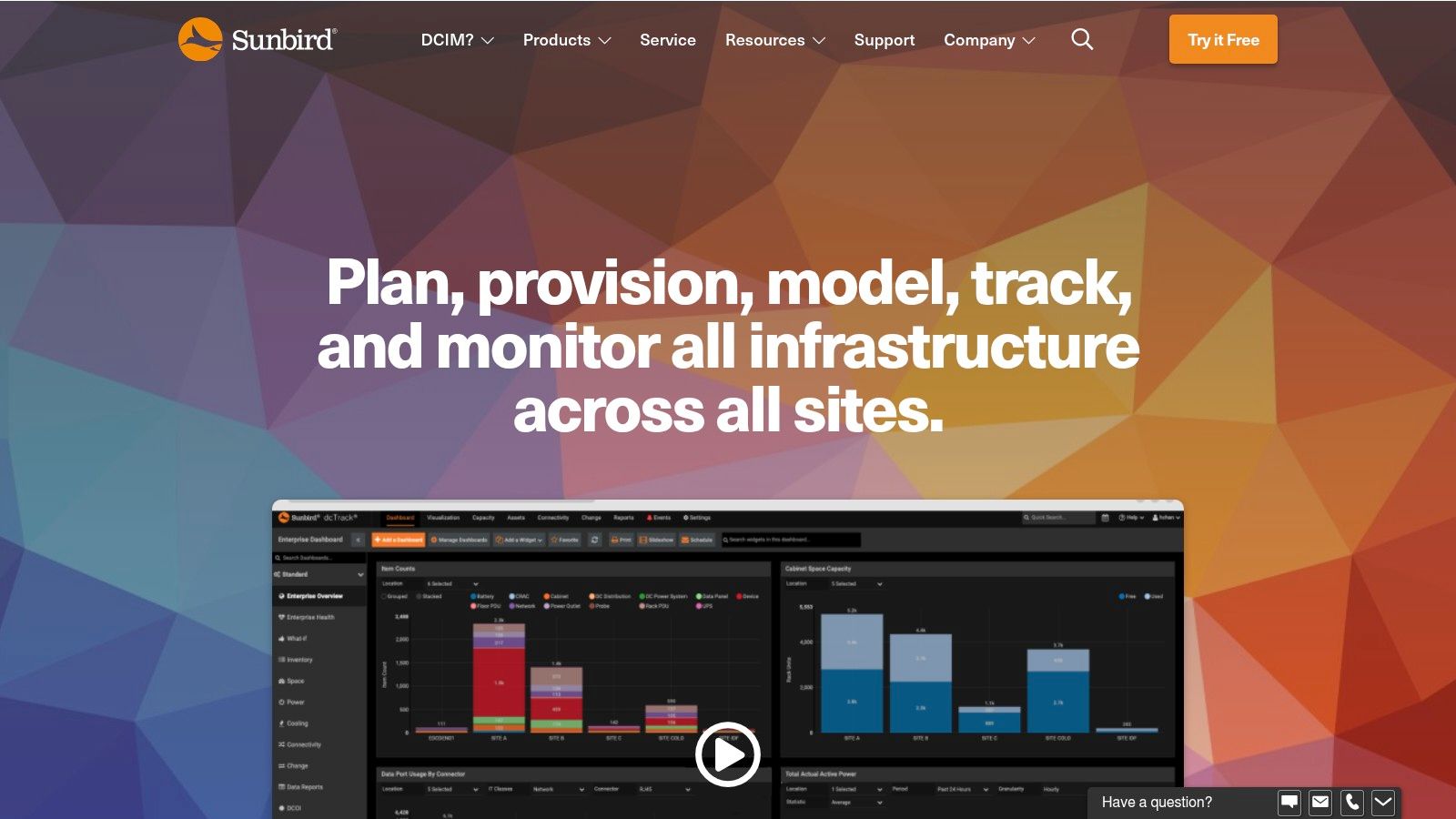
Sunbird DCIM is a better fit when structured cabling has to be managed alongside power, cabinets, capacity, and equipment lifecycle. Its dcTrack and Power IQ products bring connectivity into a broader data-center operating model, so a port trace can sit alongside cabinet-level visibility rather than living in a separate cabling database.
What the workflow feels like
The interface is oriented around cabinets and connections. Teams can document copper and fiber ports, create multi-hop circuit maps, view trace routes, and use QuickConnect to speed up the creation of connections. Cable length measurement and estimation add practical value during rack deployment and change planning, particularly when cable records need to support both operations and capacity decisions.
This isn't just a patch-panel tool with a power module attached. The benefit is the relationship between connectivity, cabinet occupancy, power conditions, and future expansion. A data-center operator can use one operational view to understand how a proposed move affects equipment, ports, and available space.
What it doesn't replace
Sunbird is primarily a DCIM platform, not a full CAD or BIM authoring environment. It won't provide the same depth of architectural coordination, pathway detailing, or construction drawing control as an engineering design tool. Teams should also confirm the current edition, licensing scope, and pricing structure directly with the vendor because public price points vary by source and product configuration.
The product suits hyperscale and enterprise data-center operators that want usability and cabinet-based commercial options. It may be excessive for a small installer that only needs rack elevations and cable pull lists, while a pure design practice may need to pair it with CAD or BIM software for preconstruction work.
3. FNT Command Cable Management
FNT Command Cable Management targets environments where cabling documentation extends across buildings, campuses, services, and WAN infrastructure. Its telecom heritage shows in the emphasis on port-to-port relationships, service impact analysis, capacity checks, autorouting, and path tracing.
A strong enterprise model
FNT provides graphical documentation for structured LAN cabling while preserving transparency across multiple sites and buildings. That matters for carriers and large enterprises where a connection may cross rooms, buildings, or operational domains before reaching an endpoint. Reporting and analytics help infrastructure owners move from static records toward a searchable inventory of capacity and service relationships.
The platform's deeper value appears during fault investigation and planned work. A team can trace a service or path, identify dependent connections, and assess the likely impact of a change instead of relying on a technician's memory or a collection of disconnected drawings.
The more sites and service relationships a network contains, the less useful a beautiful but isolated floorplan becomes.
Implementation reality
FNT Command is enterprise-grade software. It can model complex environments, but that flexibility brings implementation effort, data-model decisions, governance, and user-role planning. Consulting is typically part of the implementation conversation, and pricing is quote-only, so buyers should budget for configuration and migration rather than evaluating only the subscription line.
This is a good match for telecom carriers, large enterprises, and infrastructure operators with complex multi-site estates. It isn't the efficient choice for a small office cabling project or a contractor that needs rapid drawing production without a long-term operational database.
4. netTerrain by Graphical Networks
netTerrain balances detailed cabling and circuit management with visual usability. It can document racks, panels, circuits, pathways, floor plans, and port relationships, then provide tracing that helps teams investigate outages or plan changes across data-center and campus environments.
The practical advantage
netTerrain supports circuit tracing and CLR, or circuit layout record, workflows alongside rack elevations and floor plans. Its port and connector rules engine helps keep connections logically valid rather than treating every line as an unrestricted graphic. The modular product family also supports broader DCIM, logical network, and outside-plant documentation needs when the estate extends beyond a single facility type.
That combination makes it useful for teams that need more than a spreadsheet but don't want the full complexity of a large telecom engineering platform. Visual reports can help operations staff, facilities teams, and network engineers work from the same record, even when each group asks different questions of the infrastructure.
Limits to account for
netTerrain isn't a drafting or BIM authoring tool. It relies on imported information or base diagrams for facility CAD, so buyers should decide which system owns architectural backgrounds, pathway geometry, and construction drawing revisions. The platform's strongest role is documentation and operations, not detailed preconstruction design.
Onboarding also needs planning. Data imports, naming conventions, connector rules, and responsibilities for maintaining the record should be agreed before the system becomes authoritative. Pricing is quote-based, so a representative pilot is more useful than a feature checklist.
Choose netTerrain for data centers, campuses, and enterprise teams that want strong visualization with cabling depth. It is less suitable for a budget-conscious buyer seeking a free, scriptable database or for an engineering firm that needs advanced BIM coordination.
5. Device42
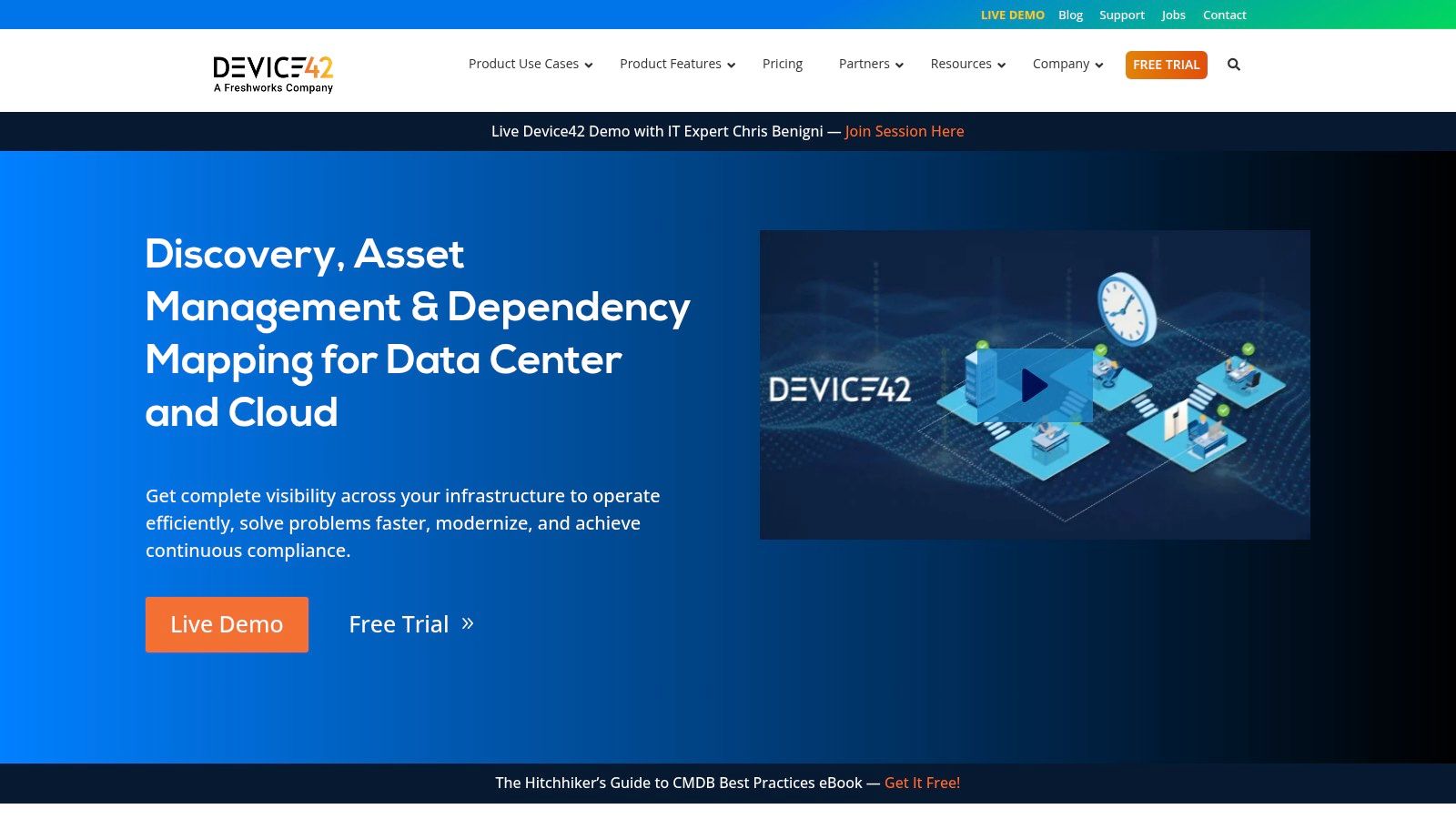
Device42 takes a web-based DCIM and asset-management approach with practical cable documentation built into a broader inventory system. Its rack views support drag-and-drop cabling, while patch-panel visualization and cable path information help teams keep physical connectivity aligned with equipment records.
Why teams adopt it quickly
Device42 can show value without requiring a cabling department to build an entire operating model first. A team can document racks and patch panels, record cable paths and lengths, and then extend the same inventory into assets, power, discovery, and integrations. That breadth is useful when the cabling record must agree with discovered devices and infrastructure changes.
API and discovery integrations are important here. They provide a route for keeping inventory connected to deployment and operational processes instead of making documentation a one-time manual exercise. For teams with frequent equipment changes, that broader context can be more useful than a highly specialized drawing system.
Where it falls short
Device42 has limited pathway design automation compared with dedicated CAD and BIM products. It can document how equipment and cables relate, but it isn't the right tool for detailed tray coordination, architectural modeling, or construction-grade pathway engineering.
Feature sets and pricing vary by edition, and pricing is quote-based. Buyers should test the exact cable, rack, discovery, reporting, and integration functions needed for their environment rather than assuming every capability is included in the first package discussed.
Device42 fits enterprise IT teams and data-center operators that want cable management connected to asset discovery. It also works for organizations that need a quicker operational starting point than a large engineering implementation, though it may not satisfy a telco engineering group or a BIM-led construction workflow.
6. NetBox by NetBox Labs
NetBox is the clearest option in this group for teams that see infrastructure as structured data first and visual documentation second. Its API-first DCIM and IPAM model represents devices, racks, power, ports, patch panels, front and rear connections, pass-throughs, and cable paths.
A different operating philosophy
NetBox is attractive when engineers want the cabling record to participate in automation. Teams can use its data model and API ecosystem to create repeatable workflows for provisioning, validation, inventory updates, and reporting. The platform fits naturally into DevOps-style infrastructure management, where a change should be represented as a controlled data operation rather than a manual edit in a diagram.
It can also provide a practical source of truth for structured cabling without proprietary lock-in at the platform level. Self-hosting is available, and commercial support can be added when the team needs assistance with architecture, operations, or governance.
Choose the system of record before choosing the screen. If automation depends on reliable port relationships, an API-accessible model may matter more than polished floorplan graphics.
The price of flexibility
NetBox doesn't provide built-in CAD or BIM functionality. Its visual language is data-centric, so teams that need construction drawings, detailed pathway coordination, or presentation-ready layouts will need another tool or a defined export process. Advanced multi-strand or breakout representations may require conventions, custom modeling, or workarounds.
NetBox is compelling for budget-conscious infrastructure teams, network automation groups, and operators that value data ownership. It demands technical ownership, however. A free self-hosted deployment can still require time for schema conventions, integrations, permissions, backups, and maintenance.
7. Bentley OpenComms Designer
Bentley OpenComms Designer is designed for telecom engineering rather than general IT asset management. It models outside-plant and inside-plant fiber and coax networks, including racks, frames, splicing, connectivity, equipment, circuits, and associated work products.
Built for fiber-heavy engineering
The platform's depth appears in its fiber model. Engineers can work from sheath through strand and circuit level, develop connectivity and splice information, produce fiber loss budgets, and generate BOMs and workprints. That makes it suitable for carriers, ISPs, and large campuses where a fiber build must be engineered, documented, and handed to construction and operations without losing network detail.
OpenComms Designer also helps consolidate legacy Bentley fiber, coax, and inside-plant products. For organizations with an established Bentley environment, that continuity may reduce the friction of maintaining separate design systems for related network assets.
What buyers should expect
This is not a lightweight rack-documentation application. CAD expertise, implementation time, standards decisions, and disciplined engineering processes are part of the package. Quote-based pricing and enterprise-oriented licensing mean procurement should include configuration, training, data migration, and integration requirements.
The platform is a strong fit for telecom carriers, broadband ISPs, and fiber engineering organizations. It is overqualified for a small enterprise LAN refresh and doesn't replace a DCIM platform when the primary need is live cabinet capacity, power monitoring, or day-to-day data-center operations.
8. iBwave Design and FiberPass
iBwave is best known for indoor network design, including RF, DAS, and Wi-Fi, but its structured-cabling relevance comes from building-level routing, in-building fiber, backhaul, link budgets, and BOM generation. FiberPass extends the workflow into automated in-building FTTx design for MDUs and campuses.

When the broader building model helps
iBwave supports cable routing, length calculations, link budgets, and BOMs within a three-dimensional building model. Design teams can review proposals through iBwave Viewer, use parts libraries and cost fields, and validate the design before installation. FiberPass adds automation for in-building FTTx design, approvals, and documentation, which is useful when fiber distribution must be coordinated across multiple floors or units.
The tool becomes more attractive when structured cabling sits alongside wireless coverage or indoor communications. A single building model can reduce the need to maintain unrelated drawings for RF infrastructure, fiber backhaul, and supporting pathways.
A specialist tool with a wide scope
RF capabilities may exceed the needs of a cabling-only project. That isn't a flaw, but it can add training and licensing complexity if the team won't use the wider design environment. Pricing is quote-based, and some modules are sold separately, so buyers should confirm whether Design, FiberPass, Viewer, libraries, and collaboration functions are included in the proposed package.
For teams delivering complex indoor networks, Southern Tier Resources can complement software selection with engineering, construction, testing, and documentation expertise. iBwave is most suitable for wireless-integrated buildings, campuses, MDUs, and fiber projects where design validation and BOM quality matter as much as the final diagram.
9. Vectorworks ConnectCAD
Vectorworks ConnectCAD is a CAD-centered option for schematic signal flows, rack layouts, risers, cable routing, and floor-plan coordination. It fits the space between a pure drawing tool and a cable-management database, particularly for low-voltage, AV, enterprise, and data-center MMR or IDF documentation.
Strong for design deliverables
ConnectCAD can generate cables from schematics, create cabling sheets, calculate cable lengths, and produce pull lists and riser diagrams tied to a Vectorworks model. It can also route cables through defined pathways in 2D and 3D, which gives designers a practical way to coordinate the intended route with the building context.
That workflow is valuable when the deliverable is a coordinated drawing package for installers, consultants, or construction teams. Manufacturer content and established US design workflows can also reduce the effort required to represent common equipment and connection types.
Where operations need another layer
ConnectCAD requires a Vectorworks license, and ConnectCAD itself is an add-on module. Its learning curve is steeper than that of a simple DCIM documentation tool, especially for teams that aren't already comfortable with CAD-based design. Pricing varies by bundle, so the buying decision should include the full authoring environment, not just the module name.
It also isn't a replacement for a long-term port-level operational database. A design can document intended connections and generate useful construction outputs, but the owner still needs a process for recording field substitutions, tested results, final labels, and post-installation changes.
Choose ConnectCAD for design consultants, low-voltage contractors, AV teams, and enterprise projects that need pathway and riser drawings. Pair it with an operational platform when the handoff must remain live after construction.
10. Bentley Raceway and Cable Management
Bentley Raceway and Cable Management focuses on the physical pathway problem. It models raceways, trays, ladders, baskets, and cable routes, making it especially relevant when structured cabling shares dense containment systems with electrical and industrial infrastructure.
The right tool for pathway coordination
BRCM provides tray, ladder, and basket libraries, a cable-routing engine, automated cable length calculations, material takeoffs, and detailed reports. Its Bentley design and BIM integrations support engineering teams that need to coordinate pathway geometry, tray fill, route choices, and construction packages in a three-dimensional environment.
Many generic cabling diagrams stop being sufficient at this point. A rack-to-rack connection may be logically correct while the physical route is impossible, congested, inaccessible, or poorly coordinated with other services. BRCM addresses that engineering layer and helps turn route decisions into quantities and deliverables.
A cable route is only complete when the pathway, access, fill, length, and construction handoff agree.
Scope limitations
BRCM is not a DCIM system. It won't provide the same operational model for live port inventory, patching work orders, service impact, or cabinet lifecycle management. Its focus is pathway and electrical raceway design, so teams should pair it with cable-management or DCIM software when the project needs ongoing operations.
CAD expertise is required, and pricing is quote-based. The best fit is large data-center build-outs, industrial facilities, and BIM-led engineering projects where pathway coordination is the primary risk. It is unnecessary overhead for a small office cabling plan or a team whose main requirement is API-driven inventory.
Top 10 Structured Cabling Design Software Comparison
| Solution | Core focus ✨ | UX/Quality ★ | Value / Price 💰 | Target audience 👥 | Standout 🏆 |
|---|---|---|---|---|---|
| Patch Manager (Patchmanager B.V.) | ✨ Port-to-splice cable & asset management (MDF/IDF/data center) | ★★★★ | 💰 Quote, purpose-built; high ROI for cabling ops | 👥 Data centers, ISPs, cabling ops | 🏆 Single source of truth for patching & traces |
| Sunbird DCIM (dcTrack + Power IQ) | ✨ DCIM with port-level traces + power/capacity workflows | ★★★★ | 💰 Cabinet-based/quote, scalable licensing | 👥 Hyperscale & enterprise DC operators | 🏆 Tight integration of power + connectivity |
| FNT Command – Cable Management | ✨ Enterprise multi-site cable modeling & service impact | ★★★★ | 💰 Quote, enterprise-class (partner channel) | 👥 Carriers, large enterprises, NOC teams | 🏆 Scales for complex campus/WAN environments |
| netTerrain (Graphical Networks) | ✨ DCIM + cabling/circuit tracing with CLR support | ★★★★ | 💰 Quote, modular editions | 👥 Data centers, campus networks, ops teams | 🏆 Balanced cabling detail with usable UI |
| Device42 | ✨ Web-based DCIM + drag‑and‑drop patching & discovery | ★★★★ | 💰 Quote, fast ROI; editions vary | 👥 SMB → enterprise ops wanting quick deployment | 🏆 Rapid deployment with discovery integrations |
| NetBox (NetBox Labs) | ✨ Open-source API-first modeling of racks, ports, cables | ★★★★ | 💰 Free self-host / paid support options | 👥 DevOps/network engineers, automation teams | 🏆 Highly scriptable, no vendor lock-in |
| Bentley OpenComms Designer | ✨ Telecom CAD for OSP/ISP fiber & coax engineering | ★★★★ | 💰 Quote, engineering/licensed product | 👥 Carriers, ISPs, telecom engineering firms | 🏆 Engineering-grade fiber-to-strand modeling |
| iBwave (Design + FiberPass) | ✨ Indoor RF + in-building fiber/FTTx automation | ★★★★ | 💰 Quote, modules sold separately | 👥 RF/DAS designers, MDU & campus planners | 🏆 Industry standard for indoor RF + FiberPass automation |
| Vectorworks ConnectCAD | ✨ CAD-integrated schematic cabling, pull lists, risers | ★★★★ | 💰 Add-on to Vectorworks, bundle pricing | 👥 AV, low-voltage, enterprise CAD designers | 🏆 CAD + cabling coordination (2D/3D) |
| Bentley Raceway & Cable Management (BRCM) | ✨ 3D pathway/tray routing, tray fill & material takeoffs | ★★★★ | 💰 Quote, BIM/CAD enterprise pricing | 👥 Data center MEP teams, construction engineers | 🏆 Detailed pathway modeling for construction packages |
Match the Platform to the Handoff
The best structured cabling design software is the one that owns the handoff your team can't afford to lose. If the priority is operational truth, start with a cable-management platform such as Patch Manager. It is designed around ports, splices, jumpers, pathways, work orders, and change history. Choose a DCIM platform such as Sunbird, netTerrain, or Device42 when connectivity needs to sit beside cabinets, equipment, power, capacity, discovery, and broader facility operations.
Select a CAD or BIM tool when the main risk occurs before installation. Vectorworks ConnectCAD is a practical choice for schematics, risers, pull lists, and floor-plan coordination. Bentley Raceway and Cable Management is more appropriate when trays, baskets, ladders, containment, and route coordination drive the engineering effort. iBwave makes sense when indoor wireless, building modeling, fiber backhaul, and structured cabling share one design workflow.
A telecom design platform belongs in fiber-heavy carrier, ISP, and outside-plant environments. Bentley OpenComms Designer provides the engineering depth needed for splicing, strand-level connectivity, loss budgets, circuits, BOMs, and workprints. FNT Command is suited to complex multi-site documentation and service relationships where tracing and capacity extend beyond a single building.
For teams that value automation and data ownership, NetBox is the distinctive option. Its API-first model can support repeatable infrastructure workflows and integration with engineering or operations systems. It won't replace CAD, BIM, or construction drawing software, so its value depends on the team's ability to define conventions, maintain integrations, and operate the platform responsibly.
Run a representative pilot before signing a long-term agreement. Use real rack elevations, patch panels, copper and fiber connections, pathway constraints, naming conventions, and a sample change request. Test port models, routing rules, BOM and reporting outputs, imports, integrations, user roles, audit history, permissions, and the effort required to migrate legacy records. Ask vendors to demonstrate how a field substitution becomes an updated as-built record, not merely how a new connection is drawn.
Treat implementation cost as more than licensing. Quote-based products can require consulting, data cleanup, training, integration work, and ongoing governance. Even a self-hosted product carries administration and process obligations. Buyer-guide coverage in this category appropriately emphasizes feature fit, ease of use, and value together, while documentation platforms are strongest when they preserve asset-linked traceability, location and port mapping, and change history (network cabling software evaluation criteria).
Market direction reinforces the need for this discipline. One industry view places data centers at 45.23% of structured cabling market size in 2025 and identifies software as the fastest-growing offering at a 10.04% CAGR through 2031 (data-center structured cabling market coverage). Dense compute halls, fiber-dominant builds, modular assemblies, mixed copper estates, and rapid redesigns make BOM accuracy, staging, capacity visibility, and change control more important than a polished floorplan alone.
Software only remains useful when field changes, testing results, labels, and as-built documentation are captured consistently. Teams planning or delivering complex telecom and data-center infrastructure should evaluate whether Southern Tier Resources' engineering, construction, testing, documentation, and maintenance capabilities complement the selected platform and close the gap between design intent and operating reality.
Southern Tier Resources provides end-to-end engineering, construction, testing, documentation, and maintenance for wireline, wireless, fiber, data-center, and structured-cabling infrastructure. Visit Southern Tier Resources to discuss how its field and engineering capabilities can support a software-backed design and as-built workflow.